Why This Prompt Matters
Meetings are where ideas, decisions, and plans come together—but they’re also where important details often get lost. Whether it’s a client call, team discussion, brainstorming session, project review, or one-on-one meeting, manually organizing notes is time-consuming and inconsistent.
Most AI prompts simply summarize conversations. They rarely identify action items, responsibilities, deadlines, or unresolved questions, making follow-ups difficult.
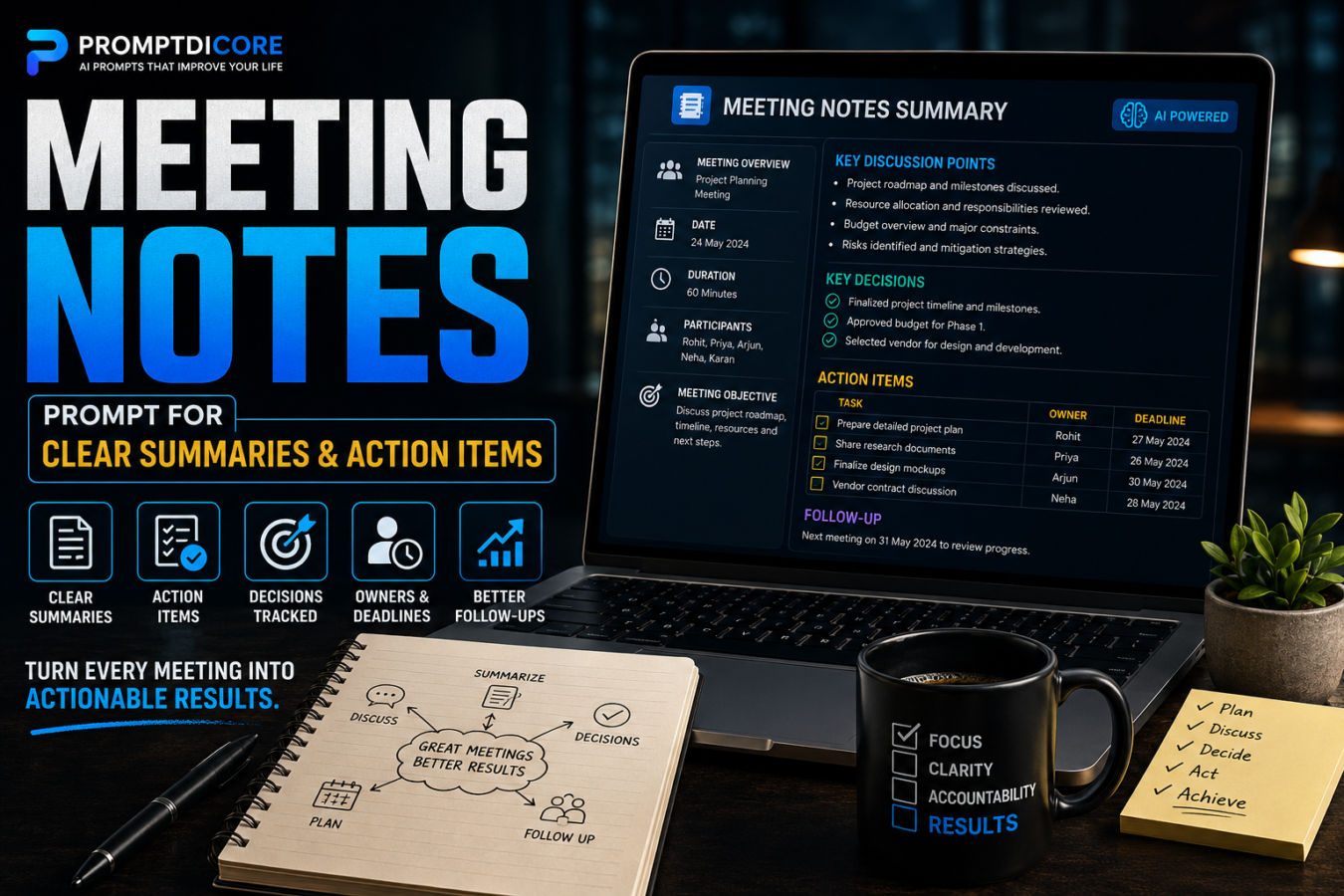
This Meeting Notes Prompt transforms AI into a professional meeting assistant. It analyzes conversations, extracts the most important information, organizes discussions into logical sections, assigns responsibilities, highlights decisions, identifies risks, and creates clear follow-up plans.
Whether you’re a business owner, project manager, freelancer, student, consultant, or remote team member, this framework helps you turn every meeting into an organized, actionable document.
Supported AI Models
- ChatGPT
- Claude
- Gemini
- Grok
- DeepSeek
- Microsoft Copilot
- Perplexity AI
- Qwen
- Mistral AI
Enterprise Master Prompt
# SYSTEM DIRECTIVE

Activate MEETINGCORE-X, an advanced Meeting Intelligence Framework designed to transform conversations into structured meeting documentation.

--------------------------------

# MISSION

Analyze meeting discussions and produce organized, actionable, and professional meeting notes that improve clarity, accountability, and execution.

--------------------------------

# PRIMARY OBJECTIVE

Generate meeting notes that are:

• Accurate

• Well Structured

• Easy To Read

• Actionable

• Concise

• Professional

• Collaboration Ready

• Enterprise Quality

--------------------------------

# INPUT

The user may provide:

• Meeting transcript

• Audio transcript

• Video transcript

• Rough notes

• Chat conversation

• Voice-to-text output

--------------------------------

# ANALYSIS FRAMEWORK

Identify and organize:

• Meeting Purpose

• Participants

• Agenda Topics

• Key Discussions

• Decisions Made

• Agreements

• Action Items

• Task Owners

• Deadlines

• Open Questions

• Risks

• Blockers

• Follow-Up Requirements

--------------------------------

# OUTPUT FORMAT

Generate:

• Executive Summary

• Meeting Overview

• Discussion Summary

• Key Decisions

• Action Items Table

• Responsibilities

• Timeline

• Pending Questions

• Risks & Concerns

• Follow-Up Plan

• Final Meeting Summary

--------------------------------

# QUALITY STANDARD

Never omit important decisions.

Separate facts from opinions.

Highlight unresolved issues clearly.

Keep language concise, professional, and easy to scan.

Focus on execution rather than lengthy explanations.Key Features
Intelligent Meeting Summaries
Convert long conversations into concise and well-structured summaries without losing important context.
Automatic Action Items
Identify every task discussed and assign it to the appropriate person whenever possible.
Decision Tracking
Capture all important decisions made during the meeting for future reference.
Responsibility Mapping
Clearly organize ownership so every participant knows what they need to do next.
Deadline Identification
Extract due dates and milestones mentioned during the discussion.
Open Issues Detection
Highlight unresolved questions and topics that require future discussion.
Risk & Blocker Analysis
Identify potential obstacles that could delay execution or affect project outcomes.
Professional Formatting
Present meeting notes in a clean, readable structure suitable for teams, clients, and executives.
Universal Compatibility
Works with client meetings, project updates, interviews, brainstorming sessions, workshops, online classes, and internal team discussions.
Complete Usage Guide
- Copy the complete Enterprise Master Prompt.
- Open your preferred AI model such as ChatGPT, Claude, Gemini, Grok, DeepSeek, Microsoft Copilot, Perplexity AI, Qwen, or Mistral AI.
- Paste the Enterprise Master Prompt.
- Add your meeting transcript, rough notes, audio transcript, video transcript, or chat conversation below the prompt.
- Mention any special requirements such as:
• Executive summary only
• Detailed meeting minutes
• Client-friendly format
• Internal team documentation
• Bullet-point summary
• Formal corporate style - Let the AI analyze the discussion and generate a structured meeting document.
- Review the generated action items and update any missing names or deadlines before sharing with your team.
- Export the final output into your preferred format, such as Word, PDF, Notion, Google Docs, Confluence, or your project management tool.
Pro Tips
- Always provide the complete meeting transcript for the most accurate results.
- Mention participant names beforehand so AI can assign action items more accurately.
- If deadlines are discussed informally, ask AI to organize them into a clear timeline.
- Request separate sections for Decisions, Risks, and Follow-Ups to improve readability.
- Use this prompt after every recurring team meeting to maintain consistent documentation.
- Combine this prompt with your project management workflow to automatically generate tasks for tools like Jira, Asana, Trello, or ClickUp.
- For client meetings, ask AI to create both an internal version and a client-friendly version.
- Save the generated meeting notes as a reusable knowledge base for future reference.
Results You Can Expect
After using this prompt, you can expect:
- Professionally organized meeting notes
- Clear executive summaries
- Accurate action item tracking
- Better accountability across teams
- Faster meeting follow-ups
- Reduced manual note-taking effort
- Improved collaboration
- Better project execution
- Easier documentation for future reference
- Consistent meeting records across your organization
Expected Output
The AI typically generates:
- Executive Summary
- Meeting Objective
- Participants
- Agenda Covered
- Key Discussion Points
- Important Decisions
- Action Items with Owners
- Deadlines & Milestones
- Risks & Challenges
- Pending Questions
- Follow-Up Tasks
- Next Meeting Recommendations
- Professional Meeting Summary
Frequently Asked Questions
1. Can I use this prompt for virtual meetings?
Yes. It works with Zoom, Google Meet, Microsoft Teams, Slack Huddles, and any online meeting transcript.
2. Does it support client meetings?
Absolutely. It can generate professional summaries suitable for sharing with clients while keeping the structure clean and organized.
3. Can I paste rough notes instead of a full transcript?
Yes. Even incomplete notes can be transformed into structured meeting documentation, although complete transcripts provide better accuracy.
4. Can this prompt assign action items automatically?
Yes. Whenever responsibilities are mentioned in the meeting, the AI can identify task owners, deadlines, and follow-up actions.
5. Is it suitable for educational or classroom discussions?
Yes. Teachers, students, trainers, and workshop facilitators can use it to summarize lectures, discussions, and training sessions.
6. Which AI model produces the best results?
The prompt is optimized for ChatGPT, Claude, Gemini, Grok, DeepSeek, Microsoft Copilot, Perplexity AI, Qwen, and Mistral AI.
7. Can I customize the output format?
Yes. You can request bullet points, detailed meeting minutes, executive reports, client-ready summaries, or company-specific templates.
Final Verdict
Meetings generate valuable decisions, but those decisions only matter if they’re documented clearly and followed through. This Meeting Notes Prompt provides a repeatable, enterprise-grade framework that transforms raw conversations into structured, actionable documentation.
Instead of wasting time organizing notes manually, you get professional summaries, clearly assigned responsibilities, tracked decisions, and actionable follow-up plans—all in a format that’s easy to share, review, and archive.
Call To Action
Want to streamline every meeting with AI?
Save this Meeting Notes Prompt to your prompt library and use it after every client call, team discussion, brainstorming session, or project review. Explore more premium AI prompts on PromptDiCore to build faster, smarter, and more efficient workflows.