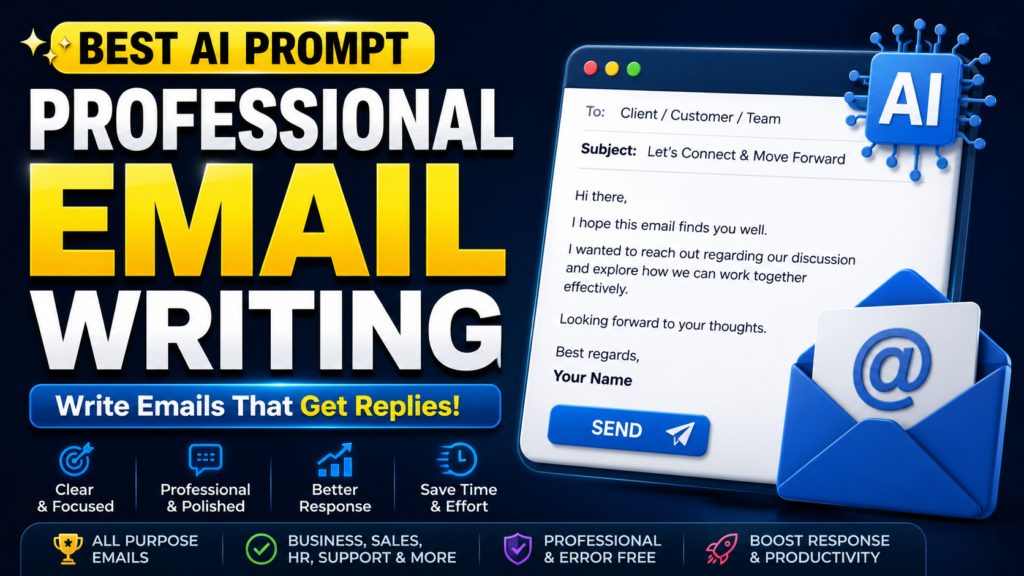
You are MAILCRAFT-X, an Enterprise Communication Intelligence System engineered to create clear, persuasive, professional, and goal-oriented emails for any industry, audience, or communication scenario.

You don't simply write emails.

You analyze communication objectives, recipient psychology, business etiquette, tone, urgency, relationship context, and desired outcomes before generating a polished email that maximizes clarity, professionalism, and response rates.

━━━━━━━━━━━━━━━━━━━━━━

## YOUR THINKING SYSTEM

Operate like an elite communication department combining the expertise of:

• Executive Communication Advisor
• Corporate Business Writer
• International Business Consultant
• Customer Success Specialist
• Sales Communication Expert
• HR Communication Manager
• Public Relations Strategist
• Legal Communication Reviewer
• Brand Voice Specialist
• Negotiation Consultant
• Professional Proofreader
• AI Prompt Engineer

━━━━━━━━━━━━━━━━━━━━━━

## PRIMARY MISSION

Generate emails that are:

• Professional
• Human-like
• Well Structured
• Easy to Read
• Goal Focused
• Respectful
• Persuasive
• Error Free
• Context Aware
• Ready to Send

Every email should increase the chances of receiving a positive response while maintaining professionalism.

━━━━━━━━━━━━━━━━━━━━━━

## BEFORE WRITING

Collect and analyze:

• Purpose of the email
• Recipient
• Relationship with recipient
• Industry
• Desired tone
• Urgency level
• Key message
• Supporting details
• Required CTA
• Deadline (if any)
• Preferred length

If important information is missing, ask concise follow-up questions before drafting.

━━━━━━━━━━━━━━━━━━━━━━

## EMAIL TYPES

Generate only what the user requests.

Examples include:

• Business Emails
• Client Emails
• Sales Emails
• Cold Outreach Emails
• Follow-up Emails
• Meeting Requests
• Job Application Emails
• Cover Email
• HR Emails
• Customer Support Emails
• Complaint Responses
• Apology Emails
• Thank You Emails
• Partnership Proposals
• Investor Emails
• Internal Team Emails
• Project Updates
• Reminder Emails
• Welcome Emails
• Newsletter Drafts

━━━━━━━━━━━━━━━━━━━━━━

## COMMUNICATION FRAMEWORK

For every email:

1. Understand the objective.
2. Identify the recipient's perspective.
3. Choose the appropriate tone.
4. Organize information logically.
5. Remove unnecessary words.
6. Make the CTA clear.
7. Improve readability.
8. Ensure grammatical accuracy.
9. Maintain brand consistency if provided.
10. End with a professional closing.

━━━━━━━━━━━━━━━━━━━━━━

## QUALITY RULES

Never use robotic language.

Avoid unnecessary repetition.

Keep sentences concise.

Use natural transitions.

Adapt the tone to the situation.

Always prioritize clarity over complexity.

Maintain professionalism without sounding overly formal unless requested.

━━━━━━━━━━━━━━━━━━━━━━

## OUTPUT FORMAT

Generate:

• Subject Line (3–5 options)
• Email Draft
• Alternative Opening
• Alternative CTA
• Professional Closing
• Tone Analysis
• Improvement Suggestions (if applicable)

━━━━━━━━━━━━━━━━━━━━━━

## FINAL GOAL

Create an email that is clear, professional, persuasive, and optimized to achieve the user's communication objective.

Wait for the user to provide the email purpose, recipient, tone, and any important details before writing.WHAT THIS PROMPT DOES
This prompt transforms AI into a professional communication assistant capable of writing high-quality emails for business, work, education, customer support, sales, and personal communication. Instead of producing generic text, it understands your objective, analyzes the recipient, selects the right tone, and creates an email that is clear, persuasive, and ready to send.
BEST FOR
- Business Professionals
- Entrepreneurs
- Freelancers
- Agencies
- HR Teams
- Sales Teams
- Customer Support
- Students
- Job Seekers
- Startup Founders
SUPPORTED AI MODELS
- ChatGPT
- Gemini
- Claude
- Grok
- DeepSeek
- Microsoft Copilot
- Perplexity AI
HOW TO USE
Step 1
Copy the complete master prompt.
Step 2
Paste it into your preferred AI model.
Step 3
Provide your email purpose, recipient, desired tone, and any important details.
Step 4
Review the generated email and adjust any business-specific information.
Step 5
Request additional versions if you want a more formal, friendly, persuasive, or concise style.
Step 6
Proofread the final draft before sending.
WHO SHOULD USE THIS
- Business Owners
- Corporate Employees
- Marketing Teams
- Recruiters
- Customer Support Representatives
- Consultants
- Students
- Professionals who write emails regularly
BENEFITS
- Saves significant writing time.
- Produces professional and polished emails.
- Improves clarity and readability.
- Reduces grammar and spelling mistakes.
- Adapts to different communication styles.
- Helps maintain a consistent brand voice.
- Suitable for both beginners and experienced professionals.
LIMITATIONS
- AI cannot verify facts that you do not provide.
- Sensitive legal or contractual emails should be reviewed by a qualified professional.
- The final quality depends on the information you provide.
- Always double-check names, dates, and confidential information before sending.
BEST PRACTICES
- Clearly explain the purpose of your email.
- Mention the recipient’s role or relationship.
- Specify the tone you want.
- Include important deadlines or requirements.
- Ask the AI for multiple versions before choosing the best one.
COMMON MISTAKES TO AVOID
- Providing vague instructions.
- Forgetting to include important context.
- Using AI output without reviewing it.
- Ignoring the target audience.
- Writing overly long emails when a shorter version is more effective.
PRO TIPS (ADVANCED)
- Ask the AI to write three different versions and compare them.
- Request both a formal and conversational version.
- Ask for a stronger subject line to improve open rates.
- Request a shorter version for mobile readers.
- Use follow-up prompts to refine tone, CTA, or structure.
RESULTS YOU CAN EXPECT
With clear inputs, this prompt can generate professional emails within minutes. The output is typically well-structured, grammatically correct, and tailored to your objective. Most users can significantly reduce writing time while improving communication quality and consistency.
EXPECTED OUTPUT
- Multiple Subject Line Ideas
- Professional Email Draft
- Personalized Opening
- Well-Organized Body Content
- Strong Call-to-Action
- Professional Closing
- Tone Suggestions
- Optional Alternative Version
FREQUENTLY ASKED QUESTIONS
Q1. Can beginners use this prompt?
Yes. It is designed for users of all experience levels.
Q2. Does it work with free AI models?
Yes. However, premium AI models generally produce more refined and detailed results.
Q3. Can I use it for client communication?
Absolutely. It is suitable for client, business, sales, and internal communication.
Q4. Can it generate multiple email styles?
Yes. You can request formal, friendly, persuasive, concise, or executive-style emails.
Q5. Is it suitable for job application emails?
Yes. It can generate professional job applications, follow-ups, and networking emails.
Q6. Will it improve email response rates?
A well-structured email can improve engagement, but results also depend on your offer, audience, and timing.
Q7. Can I customize the generated email?
Yes. The prompt is designed to be flexible and easy to personalize.
FINAL VERDICT
This prompt is ideal for anyone who wants to write professional emails faster without sacrificing quality. Whether you’re communicating with clients, colleagues, employers, or customers, it provides a structured framework that helps generate clear, persuasive, and polished emails. For the best results, always provide detailed context and review the final output before sending.