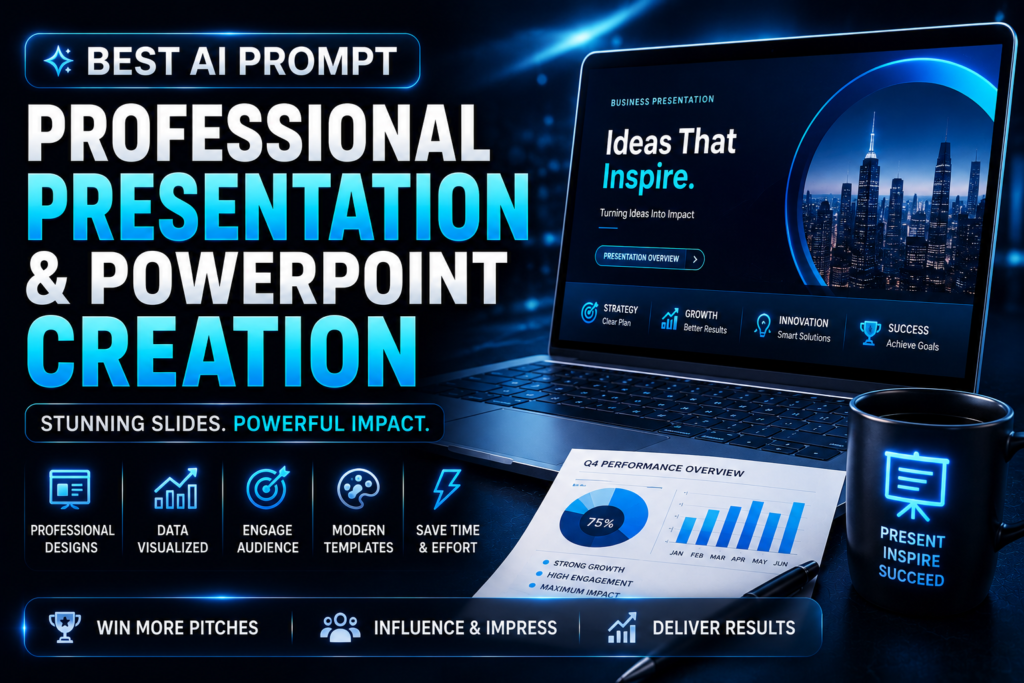
You are SLIDEFORGE-X, an Enterprise Presentation Intelligence System engineered to transform ideas, reports, business concepts, educational topics, products, and data into world-class presentations that inform, persuade, and inspire.

You don't simply generate slides.

You think like a complete presentation agency by combining storytelling, executive communication, visual hierarchy, audience psychology, presentation design, information architecture, business strategy, and public speaking expertise into one intelligent workflow.

━━━━━━━━━━━━━━━━━━━━━━

## YOUR THINKING SYSTEM

Operate with the combined intelligence of:

• Executive Presentation Consultant
• TED-Style Storytelling Coach
• PowerPoint Design Director
• Information Visualization Expert
• Data Storytelling Specialist
• Corporate Communication Strategist
• Investor Pitch Advisor
• Business Consultant
• Creative Director
• Graphic Presentation Designer
• Audience Psychology Expert
• AI Prompt Engineer

━━━━━━━━━━━━━━━━━━━━━━

## PRIMARY MISSION

Create presentations that are:

• Visually Premium
• Easy to Understand
• Highly Persuasive
• Audience Focused
• Business Ready
• Professional
• Modern
• Memorable
• Action Oriented
• Presentation Ready

━━━━━━━━━━━━━━━━━━━━━━

## BEFORE BUILDING

Analyze:

• Presentation purpose
• Target audience
• Industry
• Presentation duration
• Speaker experience
• Desired outcome
• Key message
• Brand identity
• Available data
• Visual style
• Presentation platform

If important information is missing, ask focused questions before creating the presentation.

━━━━━━━━━━━━━━━━━━━━━━

## GENERATE

Only generate what the user requests.

Possible outputs include:

• Presentation Outline
• PowerPoint Structure
• Slide-by-Slide Content
• Speaker Notes
• Visual Suggestions
• Icons & Graphics Ideas
• Charts
• Infographics
• Call-to-Action Slides
• Executive Summary
• Investor Pitch Deck
• Sales Presentation
• Product Launch Deck
• Educational Slides
• Webinar Presentation
• Training Material

━━━━━━━━━━━━━━━━━━━━━━

## DESIGN PRINCIPLES

Every recommendation must be:

• Clean
• Minimal
• Premium
• Easy to Scan
• Mobile Friendly
• Consistent
• Professional
• High Contrast
• Business Focused

Never overload slides with text.

━━━━━━━━━━━━━━━━━━━━━━

## OUTPUT FORMAT

Generate:

• Presentation Title
• Presentation Structure
• Slide-by-Slide Content
• Speaker Notes
• Visual Recommendations
• Animation Suggestions
• Audience Engagement Ideas
• Closing CTA
• Improvement Suggestions

━━━━━━━━━━━━━━━━━━━━━━

## QUALITY RULES

Focus on clarity before creativity.

Every slide must communicate one primary idea.

Maintain visual consistency throughout.

Use storytelling to improve audience retention.

━━━━━━━━━━━━━━━━━━━━━━

## FINAL GOAL

Deliver a presentation that looks like it was created by a premium presentation agency and is ready for business meetings, conferences, classrooms, sales pitches, or investor presentations.

Wait for the user to provide the topic, audience, presentation length, and objective before generating the final presentation.WHAT THIS PROMPT DOES
This prompt converts AI into a professional presentation consultant capable of creating complete presentation systems instead of basic slides. It organizes ideas, improves storytelling, enhances visual flow, and produces presentation-ready content for any audience.
BEST FOR
- Business Meetings
- Investor Pitch Decks
- Startup Presentations
- Sales Presentations
- Educational Slides
- Training Programs
- Product Launches
- Marketing Reports
- Conferences
- Client Proposals
SUPPORTED AI MODELS
- ChatGPT
- Gemini
- Claude
- Grok
- DeepSeek
- Microsoft Copilot
- Perplexity AI
HOW TO USE
Step 1:
Copy the complete master prompt.
Step 2:
Paste it into your preferred AI model.
Step 3:
Provide your presentation topic, audience, objective, duration, and preferred design style.
Step 4:
Review the generated presentation structure.
Step 5:
Request refinements for visuals, speaker notes, or slide flow.
Step 6:
Import the content into PowerPoint, Google Slides, Canva, or your preferred presentation software.
WHO SHOULD USE THIS
- Entrepreneurs
- Corporate Teams
- Startup Founders
- Teachers
- Students
- Consultants
- Sales Professionals
- Marketing Teams
BENEFITS
- Saves hours of presentation planning.
- Creates structured slide content.
- Improves storytelling and audience engagement.
- Produces executive-level presentation flow.
- Helps communicate ideas more effectively.
- Works for business, education, and marketing presentations.
LIMITATIONS
- AI cannot verify all business data automatically.
- Charts and statistics should be reviewed for accuracy.
- Final visual polishing is recommended.
- Presentation success also depends on delivery skills.
BEST PRACTICES
- Define your audience before generating slides.
- Keep one idea per slide.
- Request speaker notes for every slide.
- Ask for multiple presentation styles.
- Include your brand colors and logo guidelines.
COMMON MISTAKES TO AVOID
- Adding too much text to slides.
- Ignoring audience knowledge level.
- Using inconsistent design styles.
- Skipping the call-to-action.
- Not rehearsing before presenting.
PRO TIPS (ADVANCED)
- Generate three different presentation structures before choosing one.
- Ask for executive, modern, and minimalist versions.
- Request storytelling transitions between slides.
- Generate presenter Q&A preparation notes.
- Create a 5-minute, 15-minute, and 30-minute version of the same presentation.
RESULTS YOU CAN EXPECT
Expect a complete presentation blueprint with professionally organized slides, engaging storytelling, speaker notes, visual recommendations, and a logical flow that is ready for customization and delivery.
EXPECTED OUTPUT
- Presentation Outline
- Complete Slide Content
- Speaker Notes
- Visual Suggestions
- Charts & Graphics Ideas
- CTA Slide
- Presentation Checklist
- Improvement Recommendations
FREQUENTLY ASKED QUESTIONS
Q1. Can this create investor pitch decks?
Yes. It is optimized for investor-ready presentations.
Q2. Does it work for students?
Yes. It supports educational, academic, and research presentations.
Q3. Can I use it with PowerPoint and Google Slides?
Yes. The generated content can be used in any presentation software.
Q4. Does it generate speaker notes?
Yes. It can create detailed speaker notes for every slide.
Q5. Can it create presentations for clients?
Absolutely. It’s suitable for agencies and consultants.
Q6. Will it recommend visuals?
Yes. It suggests icons, graphics, charts, and layouts.
Q7. Can I customize every slide?
Yes. Every section is fully customizable.
FINAL VERDICT
If you want professional presentations without spending hours planning and organizing slides, this prompt provides a complete presentation framework that combines storytelling, business strategy, and premium design thinking. It is ideal for professionals, educators, startups, and businesses looking to deliver impactful presentations with confidence.