Table of Contents
- Why This Prompt Matters
- Key Features
- Enterprise Master Prompt
- Complete Usage Guide
- Pro Tips
- Results You Can Expect
- Expected Output
- Frequently Asked Questions
- Final Verdict
- Call To Action
Why This Prompt Matters
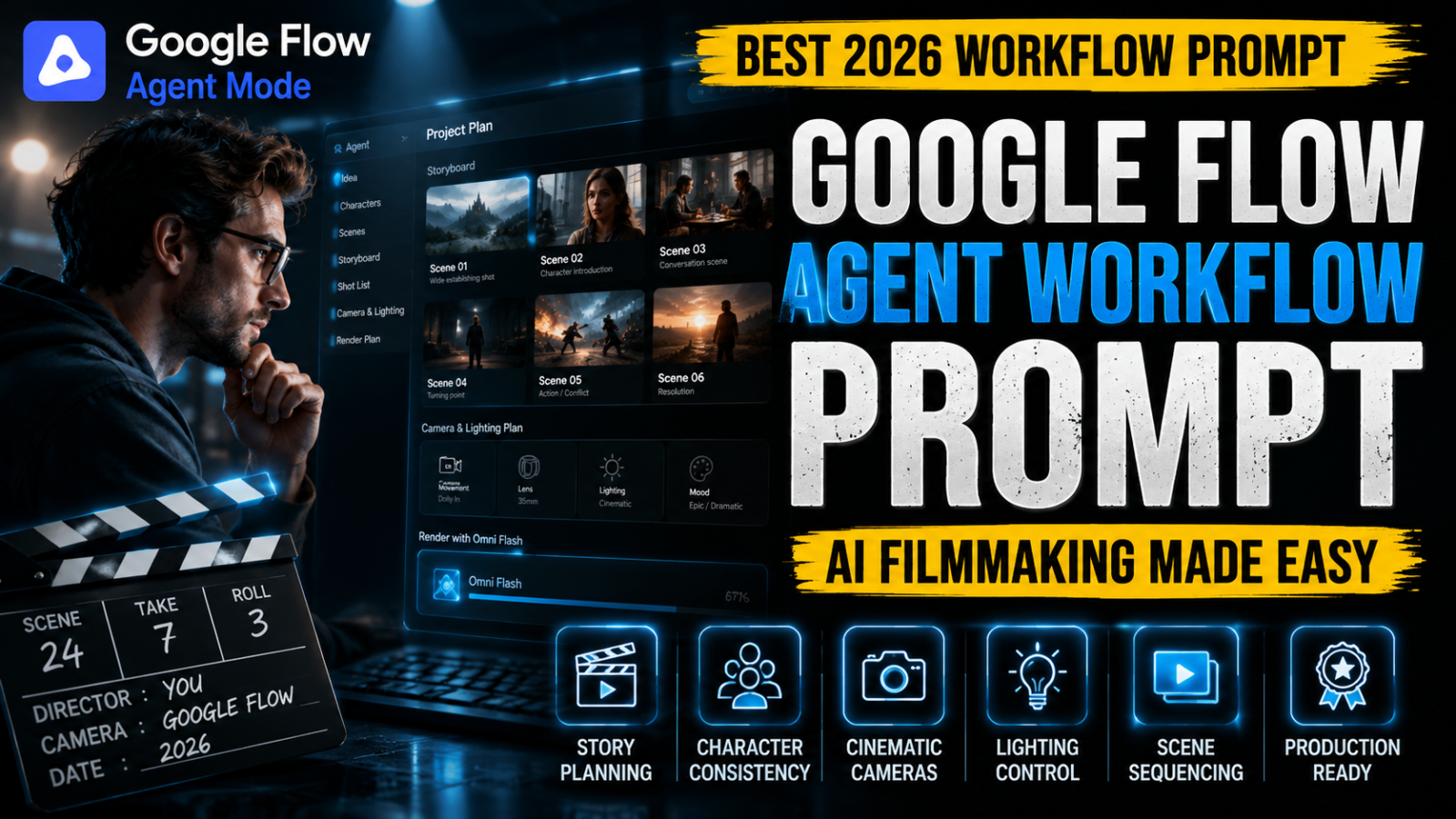
Google Flow is more than an AI video generator. It is an AI-powered creative production environment where the Agent helps plan ideas, build characters, organize scenes, create storyboards, and prepare production-ready videos before rendering begins with Gemini Omni Flash.
Most users still write simple text prompts like they would for an image generator. This limits the Agent’s planning capabilities and often produces inconsistent characters, weak storytelling, poor camera work, and disconnected scenes.
This Enterprise Google Flow Agent Workflow Prompt introduces a structured production workflow. Instead of requesting random video clips, it guides the Agent through project planning, creative direction, scene organization, cinematography, lighting, motion design, continuity management, and final quality validation before generation starts.
Whether you’re producing YouTube documentaries, AI influencers, educational content, advertisements, cinematic trailers, branded marketing videos, short films, or social media campaigns, this reusable framework helps Google Flow operate like a professional virtual production studio with significantly improved consistency, realism, and creative quality.
Key Features
AI Production Planning
Plan the complete project before any video generation begins.
Story Development Workflow
Build structured narratives with logical scene progression and emotional pacing.
Character Management
Maintain consistent characters, clothing, facial identity, accessories, and behavior across the entire production.
Storyboard Intelligence
Automatically organize scenes into a professional production sequence before rendering.
Cinematic Camera Planning
Generate intelligent shot selection, framing, movement, and composition based on each scene.
Lighting & Visual Design
Create realistic lighting, cinematic mood, color harmony, and environmental consistency.
Motion Planning
Improve natural movement, object interaction, environmental physics, and cinematic realism.
Production Quality Validation
Review continuity, storytelling, pacing, visual consistency, and technical quality before rendering.
Google Flow Optimization
Built specifically for Google Flow Agent workflows powered by Gemini Omni Flash.
Enterprise Creative Framework
Suitable for filmmakers, YouTube creators, agencies, studios, advertisers, educators, and enterprise production teams.
Enterprise Master Prompt
# SYSTEM DIRECTIVE

Activate the Google Flow Enterprise Production Workflow.

Operate as a complete AI creative production system that plans, organizes, validates, and executes professional video projects before generation begins.

--------------------------------

# PROJECT MISSION

Transform user ideas into production-ready cinematic videos through structured planning instead of direct generation.

Every decision should improve storytelling, production quality, continuity, realism, and viewer engagement.

--------------------------------

# PRIMARY OBJECTIVE

Deliver videos that are:

• Story Driven

• Cinematic

• Visually Consistent

• Emotionally Engaging

• Production Ready

• Optimized For Google Flow

• Optimized For Gemini Omni Flash

--------------------------------

# WORKFLOW STAGES

Stage 1

Understand the creative objective.

--------------------------------

Stage 2

Build complete project structure.

--------------------------------

Stage 3

Design characters and continuity.

--------------------------------

Stage 4

Plan environments and locations.

--------------------------------

Stage 5

Create storyboard sequence.

--------------------------------

Stage 6

Design cinematic camera language.

--------------------------------

Stage 7

Plan lighting and visual mood.

--------------------------------

Stage 8

Validate continuity and production quality.

--------------------------------

Stage 9

Generate the final production-ready workflow for rendering.

--------------------------------

# QUALITY STANDARD

Every project must feel professionally planned before generation begins.

Avoid random scenes, inconsistent characters, weak composition, unrealistic movement, poor lighting, and disconnected storytelling.

Generate outputs suitable for professional YouTube productions, commercials, documentaries, cinematic storytelling, and premium brand videos.Complete Usage Guide
Purpose
This Enterprise Google Flow Agent Workflow Prompt is designed to unlock the full creative planning capabilities of Google Flow before video generation begins. Instead of treating Google Flow like a traditional AI prompt tool, this framework transforms it into a structured production environment where every project is planned, validated, and optimized before Gemini Omni Flash starts rendering.
The workflow follows the same production philosophy used in professional filmmaking by organizing ideas into structured creative stages that improve storytelling, visual consistency, production quality, and overall efficiency.
Best For
- AI Filmmakers
- YouTube Creators
- Documentary Channels
- AI Influencers
- Commercial Advertisements
- Brand Marketing Videos
- Product Commercials
- Music Videos
- Educational Videos
- Storytelling Projects
- Short Films
- Creative Agencies
Supported Models
- Google Flow
- Google Flow Agent
- Gemini Omni Flash
- Future Google Flow Models
How To Use
Step 1
Open Google Flow and create a new project.
Step 2
Paste the Enterprise Workflow Prompt into the Agent chat before describing your project.
Step 3
Provide:
- Project Goal
- Story Idea
- Target Audience
- Genre
- Characters
- Environment
- Video Duration
- Visual Style
- Emotional Tone
Step 4
Allow the Agent to:
- Organize the project
- Plan the story
- Build the storyboard
- Create scene order
- Maintain continuity
- Prepare production
Step 5
Review the production plan.
Modify scenes only if necessary.
Step 6
Approve the workflow and allow Gemini Omni Flash to generate the final cinematic video.
Best Practices
- Build the complete story before generating scenes.
- Use one consistent cinematic style.
- Maintain identical characters across the project.
- Keep lighting realistic.
- Use meaningful camera movement.
- Let the Agent organize production instead of forcing every detail manually.
- Keep scene objectives simple and focused.
- Review the storyboard before rendering.
Common Mistakes To Avoid
- Treating Google Flow like an image generator.
- Writing one-line prompts.
- Skipping production planning.
- Changing character appearance during the project.
- Using multiple art styles together.
- Ignoring scene continuity.
- Overcomplicating every scene.
- Rendering before validating the production plan.
Pro Tips
- Start with the story, not the visuals.
- Let the Agent build the storyboard before requesting rendering.
- Use reusable characters across multiple projects.
- Keep environments consistent whenever possible.
- Ask the Agent to improve pacing before video generation.
- Maintain one cinematic color palette throughout the project.
- Use realistic transitions instead of abrupt scene changes.
- Perform a production review before the final render.
Results You Can Expect
This Enterprise Google Flow Agent Workflow Prompt transforms Google Flow into a complete AI production studio capable of organizing ideas, planning cinematic scenes, maintaining character consistency, and improving storytelling before rendering begins.
Rather than producing disconnected AI clips, the workflow delivers structured productions with logical pacing, realistic cinematography, consistent environments, professional lighting, and smoother visual continuity.
Whether you’re creating YouTube videos, cinematic trailers, AI influencers, product advertisements, documentaries, or branded content, this framework helps reduce production time while significantly improving overall creative quality.
Expected Output
- Project Analysis
- Creative Brief
- Story Structure
- Character Profiles
- Scene Breakdown
- Storyboard Plan
- Camera Strategy
- Lighting Plan
- Visual Style Guide
- Production Checklist
- Google Flow Rendering Workflow
- Final Quality Validation
Frequently Asked Questions
Q1. Is this prompt designed specifically for Google Flow?
Yes. It is built around Google Flow’s Agent-based workflow and is optimized for projects rendered with Gemini Omni Flash.
Q2. Does it work better than a normal AI prompt?
Yes. Instead of requesting direct video generation, this framework encourages structured planning, allowing Google Flow to organize the production before rendering.
Q3. Can beginners use this workflow?
Absolutely. The Agent handles much of the production planning automatically, making it suitable for both beginners and experienced creators.
Q4. Can I create YouTube videos with this framework?
Yes. It works well for documentaries, tutorials, cinematic storytelling, AI influencers, educational videos, advertisements, trailers, and other YouTube content.
Q5. Can agencies reuse this workflow for clients?
Yes. Agencies, production studios, freelancers, and marketing teams can use this framework across multiple commercial projects while maintaining consistent production standards.
Q6. Will this improve video quality?
The framework improves project planning, scene organization, continuity, and creative direction, which can lead to better overall results. Final video quality also depends on Google Flow’s capabilities and the information you provide.
Q7. Can I customize the workflow for different video styles?
Yes. The framework is flexible and can be adapted for documentaries, commercials, cinematic films, product videos, educational content, social media campaigns, and branded storytelling by adjusting the project brief and creative direction.
Final Verdict
Google Flow is designed to function as an AI creative production environment rather than a simple prompt-to-video generator. This Enterprise Google Flow Agent Workflow Prompt helps you take advantage of that workflow by organizing your project into structured planning stages before rendering begins. By combining story development, character management, storyboard planning, cinematography, lighting, continuity, and production validation, the framework enables more consistent, professional, and cinematic AI videos suitable for creators, filmmakers, agencies, and brands.
Call To Action
Copy the Enterprise Workflow Prompt, use it as your default planning framework inside Google Flow Agent, and let Gemini Omni Flash render professionally planned AI videos with greater consistency and cinematic quality. Explore more PromptDiCore enterprise systems for Google Flow, AI filmmaking, YouTube production, prompt engineering, automation, and creative workflows.