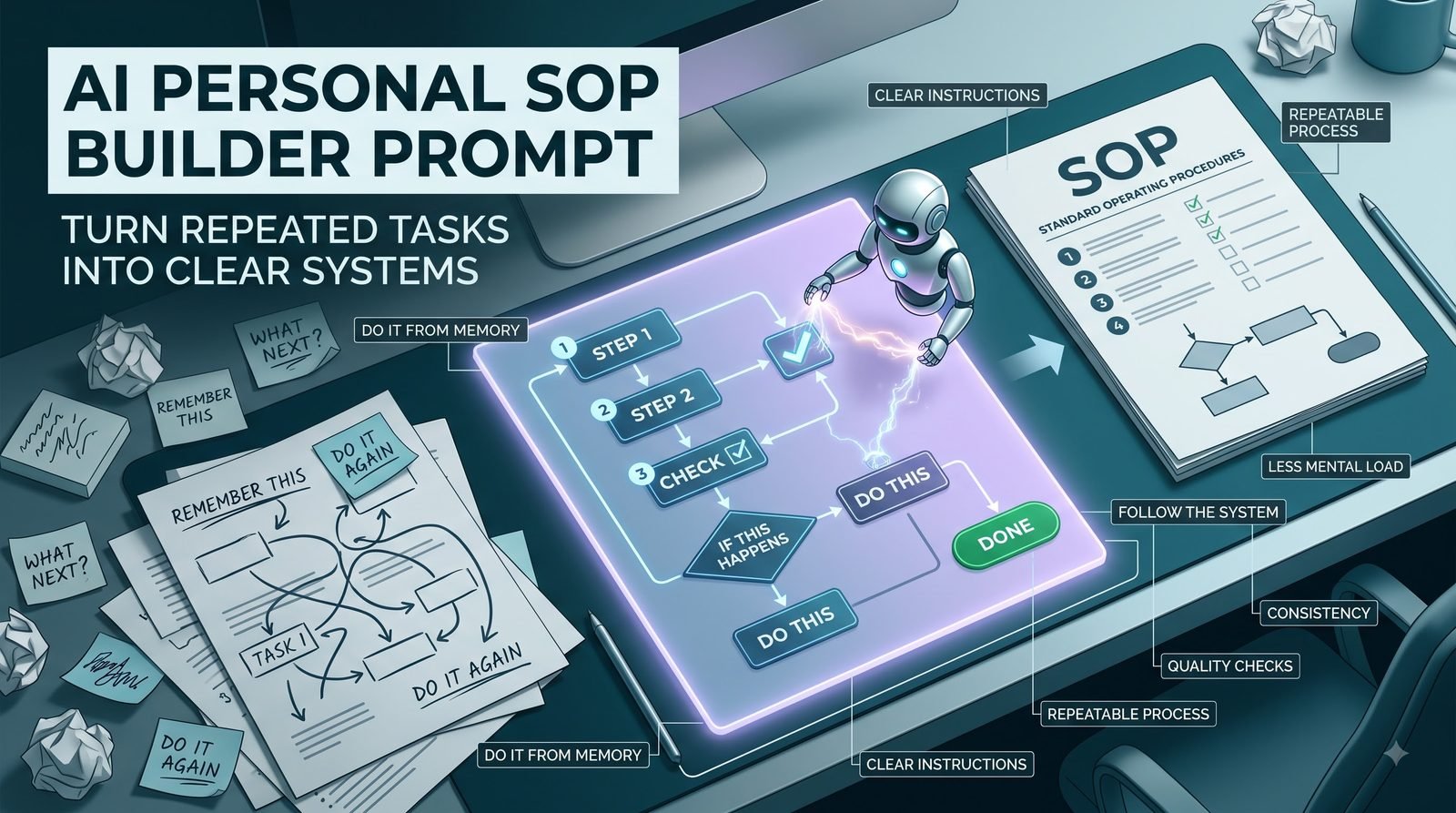
Some tasks become difficult not because they are complicated, but because you have to remember how to do them every time.
You open the same files.
Check the same information.
Follow the same sequence.
Make the same small decisions.
Then, a few weeks later, you have to remember the entire process again.
This is where a simple Standard Operating Procedure, or SOP, can make a big difference.
An SOP turns a repeated task from something you have to remember into something you can follow.
The challenge is that documenting a process can sometimes take almost as much effort as doing the task itself.
AI can make that part easier.
Start With How You Actually Do the Task
Do not begin by trying to write a perfect procedure.
Instead, describe the task naturally.
For example:
“Every Monday I collect the previous week’s sales numbers, check them against the spreadsheet, remove duplicate entries, calculate the totals, create a summary, and send it to the team. If something looks unusually high or low, I check the original records before sending it.”
That is already enough raw material for an SOP.
The AI can identify the sequence, decisions, checks, and final output.
You do not need to know the formal documentation terminology beforehand.
A Good SOP Is More Than a List of Steps
A weak SOP might say:
- Open spreadsheet.
- Check numbers.
- Create report.
- Send report.
That may look organized, but it leaves important questions unanswered.
Which spreadsheet?
What should be checked?
What counts as an error?
What happens if information is missing?
Who receives the report?
What should happen when something looks unusual?
A useful SOP captures the logic around the steps, not just the steps themselves.
Capture Decisions, Not Just Actions
Many real processes contain small decisions.
For example:
“If the customer has already provided the required information, continue to review. If something is missing, request it before proceeding.”
That conditional step can be more important than several ordinary actions.
Without it, another person following the SOP may not know what to do when the normal path changes.
The prompt therefore asks AI to identify decision points and explain what should happen in each case.
Include Exceptions
Real workflows rarely follow the ideal path every time.
You may encounter:
- Missing information
- Incorrect files
- Failed payments
- Duplicate records
- Unexpected results
- Technical problems
- Late approvals
- Unusual customer requests
An SOP does not need to document every imaginable scenario.
But recurring exceptions deserve attention.
If the same unusual situation happens regularly, it is part of the real process.
Do Not Overdocument Simple Tasks
There is another problem.
You can turn a five-minute task into a 40-page procedure.
That usually makes the SOP harder to use.
A good SOP should provide enough detail for the intended person to perform the task consistently without burying the important information under unnecessary explanation.
The prompt therefore asks AI to separate essential instructions from optional background information.
Make the SOP Useful to Someone Else
A strong test is simple:
Could another reasonably capable person follow this without repeatedly asking you what to do?
If not, something important may be missing.
That does not mean the SOP must explain every basic concept.
The level of detail should match the person who will use it.
An experienced team member may need a concise checklist.
A new employee may need more context and examples.
The same process can therefore require different documentation depending on the audience.
Turn Personal Knowledge Into Team Knowledge
A lot of operational knowledge exists only inside someone’s head.
One person knows:
- Where the latest template is
- Which checks matter
- What unusual results mean
- Who needs to approve something
- What to do when the normal process fails
That knowledge becomes a risk when nobody else knows it.
Documenting recurring work makes the process more transferable.
It also makes improvement easier because you can finally see the workflow as a defined system.
Use the Prompt on a Process You Already Perform
You do not need to redesign the workflow first.
Take a task you already perform repeatedly.
Describe:
- What starts the task
- What you do first
- What happens next
- What tools or files you use
- Where you make decisions
- What you check
- What happens when something goes wrong
- What the final result looks like
Then let AI organize the information.
That approach is usually better than asking AI to invent a process from scratch.
MASTER PROMPT — COPY & PASTE
Act as a process documentation specialist.

I will describe a task or workflow that is performed repeatedly.

TASK / WORKFLOW:
[Describe how the task is currently performed in your own words]

WHO PERFORMS IT:
[Person, role, team, or experience level]

PURPOSE:
[What the process is supposed to accomplish]

TOOLS / FILES:
[List relevant tools, documents, systems, or templates]

KNOWN EXCEPTIONS:
[Describe recurring problems, unusual cases, or decision points]

Turn this information into a practical Standard Operating Procedure.

Create:

1. PURPOSE
Explain what the SOP accomplishes.

2. WHEN TO USE IT
Identify the trigger or situation that starts the process.

3. REQUIRED INPUTS
List the information, files, tools, or access needed before starting.

4. STEP-BY-STEP PROCEDURE
Write the process in the correct order using clear action-oriented instructions.

5. DECISION POINTS
Identify places where the user must choose between different actions and explain each path.

6. QUALITY CHECKS
List important checks that should happen before the process is considered complete.

7. EXCEPTIONS
Document recurring exceptions and what to do when they occur.

8. HANDOFFS
Identify anything that must be passed to another person, team, or system.

9. COMPLETION CRITERIA
Explain how the user can tell that the process has been completed correctly.

10. QUICK CHECKLIST
Create a short checklist version for someone who already understands the process.

11. IMPROVEMENT NOTES
Identify unclear, repetitive, unnecessary, or potentially risky parts of the current process that deserve review.

Rules:
- Use only information supported by my description.
- Do not invent tools, policies, responsibilities, deadlines, or steps.
- Clearly mark missing information instead of guessing.
- Preserve important decision points and exceptions.
- Do not add unnecessary complexity.
- Write instructions so another suitable person could realistically follow them.
- Separate the documented process from improvement suggestions.
Improve the SOP After Using It
The first version does not have to be perfect.
In fact, using the SOP can reveal what is missing.
If someone asks:
“Where do I find this file?”
that information probably belongs in the documentation.
If they ask:
“What should I do when the number doesn’t match?”
the decision rule may need to be clearer.
This creates a useful feedback loop:
Document → Use → Find Confusion → Clarify → Update
The SOP gradually becomes more practical because real usage exposes its weak points.
Add a “Stop and Check” Point
Some processes have consequences if an error passes through unnoticed.
In those cases, a clearly marked verification point can be valuable.
For example:
Before sending:
- Confirm the correct recipient
- Verify the final file
- Check the key figures
- Confirm all required information is present
A short verification step can be more useful than adding several paragraphs of explanation.
Keep Version Information Separate
If the process changes frequently, make the SOP easy to update.
Include basic information such as:
Process name
Current version
Last reviewed
Process owner
Only include fields that are genuinely useful for your environment.
The important point is that people should be able to recognize whether they are following the current procedure.
SOPs Can Reveal Broken Processes
There is an unexpected benefit to documenting a workflow.
Sometimes the process looks confusing on paper because the process itself is confusing.
You may discover:
- The same information is entered twice
- Two people perform overlapping checks
- An approval has no clear owner
- A step exists only because of an old requirement
- A manual task could be simplified
- An exception happens so often that it should become part of the normal workflow
Documentation can therefore become a process-improvement exercise.
You are not just writing down what happens.
You are making the workflow visible.
Know When an SOP Is Not Necessary
Not every task deserves formal documentation.
If you perform something once and never expect to repeat it, a detailed SOP may create unnecessary work.
SOPs become more valuable when a task is:
- Repeated frequently
- Important enough to perform consistently
- Shared between people
- Difficult to remember
- Vulnerable to small errors
- Dependent on specific decisions
- Likely to be handed over to someone else
The goal is not to document everything.
It is to document the processes where having a reliable reference actually helps.
Turn “I Know How to Do It” Into Something Transferable
Personal experience is useful.
But knowledge that exists only in someone’s memory is difficult to transfer.
A clear SOP gives that knowledge a structure.
It tells the next person:
What starts the task.
What to do.
What to check.
What to do when things change.
How to know the work is finished.
That makes repeated work easier to teach, delegate, review, and improve.
And sometimes the biggest productivity improvement is not completing a task faster.
It is making sure you do not have to figure out the same task from scratch every time.