A workflow can look perfectly reasonable when you examine each step separately.
The trouble often appears when you look at the whole process.
A task gets passed from one person to another. Someone waits for information. A file has to be reformatted. The same details are entered twice. A simple approval takes two days because nobody knows exactly who should approve it.
None of these steps necessarily looks broken.
Together, they can make the entire workflow slow.
That is why improving a workflow is not always about adding automation.
Sometimes the biggest improvement comes from removing one unnecessary step.
Start With the Actual Process
Before changing a workflow, you need to understand what is really happening.
A written procedure might say:
Request → Review → Approval → Production → Delivery
But the real process might look more like:
Request → Missing information → Follow-up → Review → Revision → Approval → Another revision → Production → File correction → Delivery
The second version reveals where friction exists.
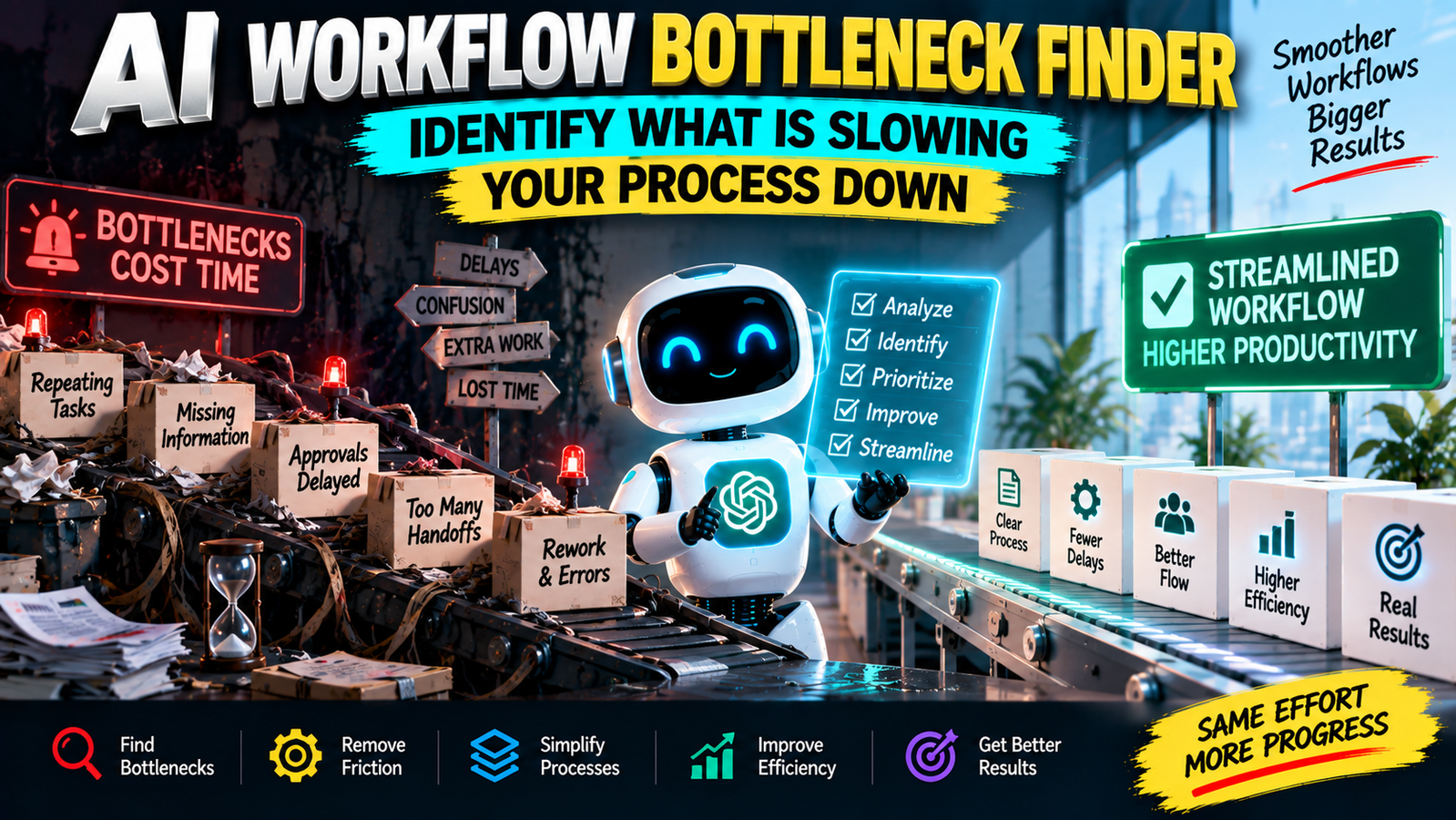
This prompt helps AI examine the workflow as a connected system rather than evaluating individual tasks in isolation.
What Counts as a Bottleneck?
A bottleneck is not simply a task that takes a long time.
It can also be a point where work repeatedly gets delayed, queued, returned, duplicated, or blocked.
Common examples include:
- Waiting for approvals
- Missing information
- Repeated data entry
- Manual file conversion
- Unclear ownership
- Frequent revisions
- Too many handoffs
- Unnecessary checks
- Tools that do not communicate with each other
- Decisions that repeatedly require the same information
The important question is not just:
“Which step takes the longest?”
It is:
“Which part of the process is creating the most friction or limiting the flow of work?”
A Simple Example
Imagine a content publishing workflow:
Topic selection → Research → Writing → Editing → SEO review → Design → Upload → Publishing
At first glance, that seems straightforward.
But suppose the editor regularly sends articles back because important information is missing.
Now writing and editing are not operating as cleanly as they appear.
The real problem may be upstream.
Perhaps the research stage does not produce a consistent content brief.
In that situation, improving the editing stage alone may not solve the problem.
The bottleneck finder can help trace the issue backward and identify where the friction actually originates.
Look for Rework
Rework is one of the easiest signals to overlook.
If a task is repeatedly completed and then partially redone, the process is consuming more resources than the visible steps suggest.
For example:
Create → Review → Fix → Review → Fix → Approve
The problem may not be that the reviewer is too slow.
The process may simply lack clear requirements at the beginning.
This is why the prompt asks AI to look for causes, not just symptoms.
Not Every Slow Step Needs Automation
This is another important distinction.
Suppose one workflow contains a manual step that takes five minutes and happens twice a month.
Automating it may not be worth the effort.
Another step may take only three minutes but happen 100 times a day.
That could be a much better improvement opportunity.
The prompt therefore considers frequency, impact, dependencies, and effort instead of automatically recommending automation everywhere.
Find the Highest-Leverage Improvement
After analyzing a workflow, you do not want twenty recommendations with equal priority.
You want to know where to start.
The prompt asks AI to rank improvement opportunities based on their likely impact and practicality.
That can help you separate:
Quick fixes
from
Structural improvements
from
Changes that are probably not worth the effort.
This makes the analysis easier to turn into action.
Use It for Almost Any Process
You can apply this workflow to:
- Content production
- Customer support
- Sales processes
- Administrative work
- Team approvals
- Research workflows
- Freelance projects
- Reporting
- Hiring processes
- Personal routines
- Repetitive computer tasks
You do not need a sophisticated process diagram.
A simple numbered list is enough to begin.
For example:
- Customer sends request
- Team member reads it
- Information is copied into spreadsheet
- Manager reviews it
- Customer receives response
- Team updates internal record
AI can start analyzing that process immediately.
Include the Frustrations You Already Notice
If people involved in the workflow regularly complain about a particular step, include that information.
For example:
“The team often waits for approval.”
or:
“People frequently ask where the latest version of the file is.”
Those observations can be valuable clues.
The prompt can then investigate whether the complaint represents a real bottleneck, a symptom of another problem, or simply a preference.
MASTER PROMPT — COPY & PASTE
Act as a workflow optimization analyst.

I will provide a real workflow or process.

WORKFLOW:
[Describe the process step by step]

GOAL:
[What the workflow is supposed to accomplish]

KNOWN PROBLEMS:
[Optional: delays, complaints, repeated work, errors, waiting, confusion, or other issues]

CONSTRAINTS:
[Optional: tools, budget, team size, policies, deadlines, or other limitations]

Analyze the workflow as a connected system.

Identify:

1. BOTTLENECKS
Find the steps most likely to slow, block, or restrict the overall workflow.

2. FRICTION
Identify unnecessary waiting, handoffs, decisions, duplication, confusion, or repeated effort.

3. REWORK
Find places where work may be repeated, corrected, or returned because of earlier problems.

4. ROOT CAUSES
For each major bottleneck, explain the likely underlying cause. Clearly distinguish evidence from inference.

5. DEPENDENCIES
Identify steps that depend on other people, information, approvals, tools, or previous tasks.

6. AUTOMATION OPPORTUNITIES
Identify tasks that could potentially be automated or simplified, but do not recommend automation when manual work is more practical.

7. QUICK WINS
Give 5 relatively simple improvements that could reduce friction.

8. HIGH-IMPACT IMPROVEMENTS
Identify the 3 changes most likely to improve the overall workflow and explain why.

9. PRIORITY
Rank the recommended changes by:
- Expected impact
- Implementation effort
- Risk
- Frequency of the problem

10. IMPROVED WORKFLOW
Create a cleaner version of the workflow while preserving necessary controls and constraints.

11. FINAL DIAGNOSIS
Explain the single biggest issue in the current workflow and what should be investigated or changed first.

Rules:
- Do not invent facts about the process.
- Clearly label assumptions and inferences.
- Do not recommend automation simply because a task is manual.
- Do not remove steps that may be necessary for quality, safety, compliance, or control.
- Focus on practical improvements rather than theoretical optimization.
Compare Before and After
One useful way to use the output is to write down the current process and proposed process side by side.
For example:
Current
Request → Manual entry → Review → Missing information → Follow-up → Approval → Re-entry
Improved
Request → Structured information → Review → Approval → Automatic record update
The point is not that every workflow should become shorter.
Sometimes a longer process is necessary.
The goal is to remove unnecessary complexity, not useful controls.
Measure the Problem Before Making a Big Change
If the workflow matters to your business or team, try to estimate how often the bottleneck occurs.
You might track:
- Number of delayed cases
- Average waiting time
- Number of revisions
- Number of handoffs
- Frequency of errors
- Time spent on repeated work
Even simple observations can help you determine whether a proposed improvement is worth implementing.
You do not need perfect measurement.
You need enough information to avoid optimizing something that barely matters.
The Best Workflow Is Not the Shortest One
A good workflow balances speed with reliability.
Removing a review step might make a process faster while increasing errors.
Automating a decision might save time while creating problems in unusual cases.
Combining responsibilities might reduce handoffs while making ownership less clear.
That is why the prompt asks you to consider impact, effort, risk, and constraints together.
The objective is not to make every process as short as possible.
It is to make the process flow better without sacrificing what actually matters.
When a workflow feels slow, do not immediately add another tool.
First find the point where the work starts getting stuck.