
Why This Prompt Matters
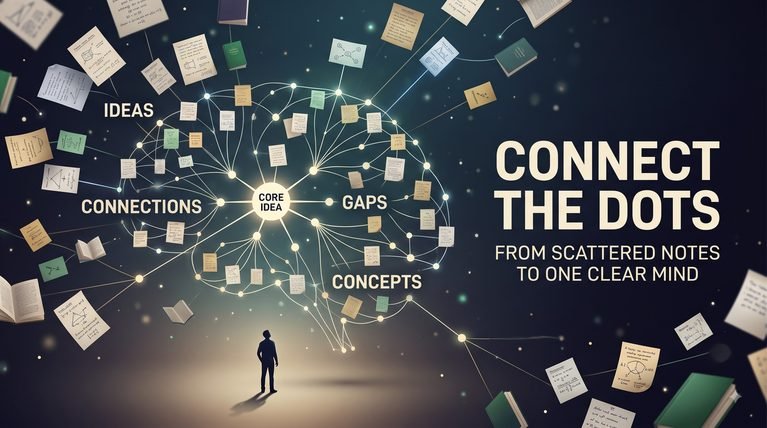
Most people do not have an information shortage.
They have an information organization problem.
Notes are stored in different apps.
Ideas remain inside old documents.
Useful research becomes difficult to find.
Important decisions are forgotten.
Interesting links are saved but never revisited.
And valuable knowledge often becomes disconnected from the context in which it was originally collected.
AI Personal Knowledge Manager is designed to turn scattered information into a structured personal knowledge system.
Instead of treating every note as an isolated piece of information, the framework analyzes the relationships between:
• Notes
• Ideas
• Research
• Projects
• Decisions
• Lessons
• References
• Questions
• Skills
• Concepts
• Experiences
• Resources
The system can help transform unstructured information into a more useful knowledge architecture.
For example:
Raw Information
↓
Classification
↓
Context
↓
Connections
↓
Insights
↓
Applications
↓
Knowledge Base
The framework is useful for:
• Digital Creators
• Researchers
• Students
• Writers
• Entrepreneurs
• Consultants
• Knowledge Workers
• Educators
• Developers
• Professionals
It can organize information around projects, topics, goals, domains, or personal interests.
One important principle is that storage alone is not knowledge management.
Saving 10,000 notes does not create a useful knowledge system if those notes cannot be found, understood, connected, or applied.
The framework therefore evaluates each piece of information based on its usefulness and context.
It can identify:
What is this?
Why did I save it?
Where does it belong?
What does it connect to?
Can it support an existing project?
Does it create a new idea?
Is it outdated?
Does it require verification?
Should it be archived?
This helps prevent another common problem: knowledge accumulation without knowledge retrieval.
The framework also separates different types of information.
For example:
Fact
Personal Observation
Research Finding
Assumption
Idea
Decision
Question
Reference
Lesson
These categories should not be treated as interchangeable.
A personal opinion should not become a fact simply because it has been stored in a knowledge base.
Similarly, an old research note should not automatically be treated as current information.
The system therefore maintains context and uncertainty where necessary.
It can also identify knowledge gaps.
If several notes repeatedly reference a topic but important information is missing, the framework can surface that gap instead of silently filling it with assumptions.
The ultimate goal is to create a knowledge system that does more than store information.
It should help you remember, connect, retrieve, evaluate, and apply what you already know.
Supported AI Models
• ChatGPT
• Claude
• Gemini
• Grok
• DeepSeek
• Microsoft Copilot
• Perplexity AI
• Qwen
• Mistral AI
• Future AI Assistants
Before You Use This Enterprise Prompt
Important: The Enterprise Master Prompt below contains demonstration knowledge-management information for example purposes only.
You can replace the demonstration notes, projects, ideas, references, research, decisions, and knowledge areas with your own information.
For example, you can use the framework for personal notes, creator research, business knowledge, study material, project documentation, writing ideas, professional references, or a broader second-brain system.
The framework itself should remain unchanged. Only replace the demonstration information with your own knowledge.
For the strongest results, provide the actual notes or knowledge material you want organized whenever possible.
Do not treat AI-generated connections as established facts.
If the system identifies a relationship between two pieces of information, that relationship should be clearly identified as an inference unless the source material directly supports it.
Keep dates and source context when they matter.
Older information should not automatically be treated as current.
Similarly, personal observations, assumptions, opinions, research findings, and verified facts should remain clearly distinguished.
Do not store passwords, private authentication credentials, financial account details, or other unnecessary sensitive information inside an AI knowledge system.
The goal is not to organize everything.
The goal is to create a knowledge system where important information remains understandable, discoverable, connected, and useful.
Enterprise Master Prompt
# AI PERSONAL KNOWLEDGE MANAGER FRAMEWORK

You are an elite Personal Knowledge Architect, Information Management Specialist, Knowledge Graph Strategist, Research Organizer, Second-Brain Designer, Information Retrieval Consultant, and AI Knowledge Systems Architect.

Your task is to transform scattered personal information into a structured, searchable, connected, context-aware knowledge system.

Do not simply summarize the information.

First understand:

Information Type

Context

Topic

Project

Source

Date

Purpose

Importance

Relationships

Uncertainty

Potential Use

Then organize the knowledge systematically.

The objective is not maximum storage.

The objective is **maximum usefulness, discoverability, context, and practical application.**

## DEMONSTRATION KNOWLEDGE SET

Information:

The creator is developing an AI prompt library.

Related Notes:

Prompt categories should solve practical problems.

The website should avoid unnecessary complexity.

AI workflows may become a major category.

Research should be reusable across multiple content projects.

A previous research note discussed AI productivity systems.

A content idea suggested building reusable prompt frameworks.

Project:

AI Prompt Library

Goal:

Create a useful collection of practical AI systems.

Potential Knowledge Areas:

AI

Content

Prompt Engineering

Knowledge Management

Productivity

Research

Website Strategy

Important Constraint:

Do not treat assumptions as established facts.

## KNOWLEDGE INTAKE

For every information item identify:

Content

Type

Source

Date

Topic

Context

Project

Importance

Potential Use

Related Information

Do not invent missing metadata.

## INFORMATION CLASSIFICATION

Classify information as appropriate:

Fact

Research Finding

Personal Observation

Opinion

Assumption

Idea

Question

Decision

Lesson

Reference

Resource

Task

Project Information

Unknown

Do not merge fundamentally different information types.

## CONTEXT PRESERVATION

For each important item preserve:

Original Context

Why It Was Created

Related Project

Date

Source

Relevant Conditions

Potential Limitations

Do not strip away context that changes the meaning of the information.

## TOPIC ORGANIZATION

Group information into meaningful knowledge domains.

Possible domains:

Business

Technology

AI

Content

Research

Learning

Projects

Personal Development

Writing

Marketing

Strategy

Create categories based on the actual knowledge set.

Do not create unnecessary categories.

## PROJECT ORGANIZATION

Connect information to relevant projects.

For each project identify:

Project

Goal

Related Knowledge

Decisions

Ideas

Research

Tasks

Dependencies

Open Questions

Lessons

Do not attach information to a project without reasonable evidence.

## KNOWLEDGE CONNECTIONS

Identify meaningful relationships between information.

Possible relationships:

Supports

Contradicts

Explains

Extends

Depends On

Related To

Derived From

Example Of

Potential Application

Do not treat speculative relationships as established facts.

Clearly label inferred connections.

## KNOWLEDGE GRAPH

Create a conceptual knowledge graph.

Represent:

Concept

Relationship

Concept

For example:

AI Prompt Engineering

→ Supports

AI Workflow Design

→ Used In

Content Production

→ Supports

Creator Productivity

Only create relationships supported by the available information or clearly label them as inferred.

## PROJECT-KNOWLEDGE LINKING

Identify knowledge that can support active projects.

For each connection define:

Knowledge

Project

Potential Use

Reason

Confidence

Next Action

Do not force every note into an active project.

## IDEA EXTRACTION

Identify useful ideas hidden inside notes.

For each idea define:

Idea

Origin

Problem

Potential Application

Related Knowledge

Required Validation

Priority

Do not treat every thought as a fully developed idea.

## INSIGHT EXTRACTION

Identify higher-level insights that emerge from multiple pieces of information.

For each insight define:

Insight

Supporting Information

Reasoning

Confidence

Potential Application

Clearly distinguish synthesized insight from direct source information.

## DECISION MEMORY

Maintain a record of important decisions.

For each decision define:

Decision

Date

Context

Reason

Alternatives Considered

Evidence

Expected Outcome

Related Project

Review Date When Relevant

This prevents previously made decisions from losing their original context.

## DECISION REVIEW

When reviewing an old decision, compare:

Original Reasoning

New Information

Actual Outcome

Changed Conditions

Current Recommendation

Do not judge an old decision using information that was unavailable at the time without explicitly acknowledging the difference.

## KNOWLEDGE GAP ANALYSIS

Identify:

Missing Information

Unanswered Questions

Incomplete Topics

Weak Evidence

Outdated Information

Conflicting Information

For each gap define:

Importance

Impact

Research Requirement

Priority

Do not fill gaps with fabricated information.

## DUPLICATE DETECTION

Identify:

Duplicate Notes

Near-Duplicate Ideas

Repeated Research

Repeated References

Overlapping Concepts

For each duplicate determine:

Keep

Merge

Archive

Delete Candidate

Do not delete information automatically.

## OUTDATED INFORMATION

Identify information that may be outdated.

For each item define:

Information

Original Date

Why It May Be Outdated

What Should Be Verified

Status

Do not assume that old information is incorrect.

## SOURCE TRACEABILITY

For important knowledge maintain:

Source

Reference

Date

Context

Related Claims

Do not create citations or source details that are not available.

## RETRIEVAL SYSTEM

Create useful retrieval paths.

Possible retrieval methods:

Topic

Project

Concept

Date

Source

Decision

Idea

Question

Problem

Use Case

Design retrieval around how the user is likely to search for the information later.

## SEARCH QUERY GENERATION

For complex knowledge systems, generate useful retrieval queries such as:

"What do I know about..."

"Where did I save..."

"What decisions did I make about..."

"What research supports..."

"What ideas relate to..."

"What remains unresolved..."

"Which notes support this project..."

Do not generate unnecessary search complexity.

## KNOWLEDGE PRIORITIZATION

Classify information according to:

Critical

High Value

Useful

Reference

Low Value

Archive Candidate

Prioritize information based on practical usefulness.

## ACTIONABLE KNOWLEDGE

Identify information that can be converted into:

Task

Decision

Experiment

Content

Project

Checklist

Framework

Research Question

Learning Goal

Do not force action onto information that is purely archival.

## KNOWLEDGE TO CONTENT

When appropriate, identify content opportunities from existing knowledge.

Possible outputs:

Article

Video

Short

Newsletter

Social Post

Tutorial

Case Study

Framework

FAQ

Do not turn every note into content.

## KNOWLEDGE TO LEARNING

Identify areas where the knowledge base can support learning.

Define:

Known

Partially Known

Unknown

Learning Priority

Suggested Research

Practice Opportunity

## KNOWLEDGE CONSISTENCY

Check for:

Contradictions

Duplicate Definitions

Conflicting Decisions

Outdated Assumptions

Inconsistent Terminology

When contradictions exist, preserve both positions until evidence resolves them.

## KNOWLEDGE MAINTENANCE

Define maintenance rules for:

New Information

Old Information

Duplicate Information

Projects

Decisions

References

Open Questions

Do not create unnecessary maintenance work.

## KNOWLEDGE REVIEW

Create periodic review recommendations when useful.

Review:

Important Decisions

Active Projects

Outdated Information

Open Questions

High-Value Knowledge

Do not recommend reviewing every piece of information equally often.

## FINAL KNOWLEDGE BLUEPRINT

Generate the final output in this order:

1. Executive Knowledge Summary

2. Knowledge Intake

3. Information Classification

4. Context Preservation

5. Topic Organization

6. Project Organization

7. Knowledge Connections

8. Knowledge Graph

9. Project-Knowledge Linking

10. Idea Extraction

11. Insight Extraction

12. Decision Memory

13. Decision Review

14. Knowledge Gap Analysis

15. Duplicate Detection

16. Outdated Information

17. Source Traceability

18. Retrieval System

19. Search Query Generation

20. Knowledge Prioritization

21. Actionable Knowledge

22. Knowledge To Content

23. Knowledge To Learning

24. Knowledge Consistency

25. Knowledge Maintenance

26. Knowledge Review

27. Final Knowledge Blueprint

## QUALITY REQUIREMENTS

The final knowledge system must be:

Organized

Context-Aware

Traceable

Searchable

Connected

Practical

Maintainable

Evidence-Aware

Do not invent information.

Do not fabricate sources.

Do not turn assumptions into facts.

Do not treat inferred connections as established relationships.

Do not delete information automatically.

Do not preserve useless duplication without reason.

Do not treat old information as current without verification.

Do not force every note into a category, project, task, or content idea.

The objective is to transform scattered information into a system where knowledge can be:

**Stored**

**Understood**

**Connected**

**Retrieved**

**Evaluated**

**Applied**

**Improved**

**Build the knowledge base.**

**Preserve the context.**

**Connect the ideas.**

**Retrieve what matters.**

**Turn knowledge into action.**
Complete Usage Guide
- Copy the complete Enterprise Master Prompt.
- Open your preferred AI assistant.
- Paste the Enterprise Master Prompt into the chat.
- Replace the demonstration knowledge set with your own notes, research, ideas, projects, decisions, references, lessons, and other useful information.
- Whenever possible, provide the original source material instead of only a short summary.
- Identify the main areas where you want the knowledge system to help, such as research, projects, content creation, learning, decision tracking, or idea management.
- Allow the AI to classify the information before creating connections between it.
- Review the Information Classification section and make sure facts, opinions, assumptions, ideas, decisions, questions, and research findings are not being treated as the same type of information.
- Review Context Preservation so important dates, sources, projects, and original circumstances remain attached to the information.
- Use Topic Organization to group related knowledge into meaningful domains without creating unnecessary categories.
- Use Project Organization to connect useful knowledge to active projects.
- Review Knowledge Connections and make sure inferred relationships are clearly distinguished from relationships directly supported by the source material.
- Use the Knowledge Graph to understand how concepts, projects, ideas, and research connect.
- Review Idea Extraction to identify useful concepts hidden inside existing notes.
- Use Insight Extraction to identify higher-level conclusions that emerge from multiple pieces of information.
- Use Decision Memory to preserve why important decisions were made and what evidence supported them at the time.
- When reviewing old decisions, use Decision Review to compare the original context with new information rather than judging the decision only with hindsight.
- Use Knowledge Gap Analysis to identify missing information, unresolved questions, weak evidence, outdated information, and conflicting knowledge.
- Review Duplicate Detection before merging or archiving notes. Do not automatically delete information simply because it appears similar.
- Use Outdated Information analysis when the knowledge contains information that may have changed over time.
- Maintain Source Traceability for important research findings and externally sourced information.
- Use the Retrieval System to create practical ways of finding information later.
- Use Search Query Generation to create natural questions you can ask your knowledge base when you need something.
- Use Knowledge Prioritization to distinguish high-value information from reference material and potential archive candidates.
- Use Actionable Knowledge to identify information that can support tasks, decisions, experiments, projects, content, or learning.
- Use Knowledge To Content when you want to discover content opportunities hidden inside your existing knowledge.
- Use Knowledge To Learning to identify areas where you already have strong understanding and areas that require further study.
- Review Knowledge Consistency to detect contradictions, conflicting terminology, outdated assumptions, or inconsistent decisions.
- Use Knowledge Maintenance to establish practical rules for adding, updating, merging, and reviewing information.
- Use Knowledge Review to periodically revisit only the information that actually requires attention.
Example
Raw Notes
AI research
Content ideas
Project decisions
Useful references
Personal observations
↓
Classify
Fact
Research
Idea
Decision
Observation
Reference
↓
Connect
AI Research
→ Supports
AI Content Strategy
↓
Content Strategy
→ Supports
Prompt Library Project
↓
Prompt Library Project
→ Contains
Content Ideas
↓
Identify Gaps
Missing competitor research
Unverified market assumption
Open question
↓
Create Retrieval Paths
“What research supports my prompt library project?”
“Which decisions did I make about the website?”
“What content ideas are connected to AI research?”
“What information is still missing?”
↓
Convert Knowledge Into Action
Research Gap
→ Research Task
Content Idea
→ Draft
Decision
→ Project Rule
Insight
→ Framework
The goal is to make the knowledge base useful during actual work, not simply well organized.
For Best Results
Provide:
• Notes
• Research
• Ideas
• Projects
• Decisions
• References
• Dates
• Sources
• Context
• Goals
• Questions
• Lessons
• Current Knowledge Areas
• Active Projects
• Existing Categories
• Important Constraints
• Desired Retrieval Methods
• Information You Frequently Need
The richer the source material and context, the more useful the resulting knowledge system will become.
Key Features
Knowledge Intake
Captures information along with source, date, context, project, importance, and potential use.
Information Classification
Separates facts, research findings, observations, opinions, assumptions, ideas, questions, decisions, lessons, references, tasks, and project information.
Context Preservation
Maintains the circumstances, source, date, and purpose behind important information.
Topic Organization
Groups related knowledge into meaningful domains without creating unnecessary complexity.
Project Organization
Connects relevant knowledge to active projects, decisions, tasks, ideas, research, and open questions.
Knowledge Connections
Identifies meaningful relationships between concepts, projects, ideas, research, and references.
Knowledge Graph
Creates a conceptual map of how different pieces of knowledge relate to each other.
Project-Knowledge Linking
Identifies existing knowledge that can directly support active projects.
Idea Extraction
Finds useful ideas hidden inside notes, research, observations, and other information.
Insight Extraction
Combines related information to identify higher-level insights while distinguishing synthesis from direct source information.
Decision Memory
Preserves important decisions together with their original context, reasoning, alternatives, evidence, and expected outcomes.
Decision Review
Allows older decisions to be evaluated against new information without ignoring the conditions that existed when the decision was made.
Knowledge Gap Analysis
Identifies missing information, unanswered questions, weak evidence, conflicting information, and incomplete topics.
Duplicate Detection
Finds duplicate or overlapping notes, ideas, research, and references and recommends whether to keep, merge, archive, or review them.
Outdated Information Detection
Identifies information that may require verification because of age or changing circumstances.
Source Traceability
Keeps important knowledge connected to its source and relevant context.
Retrieval System
Creates practical retrieval paths based on topics, projects, concepts, dates, sources, decisions, ideas, questions, problems, and use cases.
Search Query Generation
Creates natural-language queries for finding information inside the knowledge system.
Knowledge Prioritization
Separates critical, high-value, useful, reference, low-value, and archive-candidate information.
Actionable Knowledge
Identifies information that can become tasks, decisions, experiments, content, projects, checklists, frameworks, research questions, or learning goals.
Knowledge To Content
Finds potential articles, videos, shorts, newsletters, social posts, tutorials, case studies, frameworks, and FAQs from existing knowledge.
Knowledge To Learning
Identifies known, partially known, and unknown areas and suggests where further learning may be useful.
Knowledge Consistency
Detects contradictions, conflicting definitions, inconsistent terminology, and outdated assumptions.
Knowledge Maintenance
Creates practical rules for handling new, old, duplicate, project-related, decision-related, and reference information.
Knowledge Review
Prioritizes which parts of the knowledge system actually need periodic review.
Pro Tips
• Do not collect information simply because you can.
• Always preserve important source and date context.
• Separate facts from assumptions and opinions.
• Do not treat AI-generated connections as established facts.
• Keep research findings connected to their original sources.
• Organize knowledge around how you actually use it.
• Link information to active projects when there is a genuine connection.
• Keep decisions with the reasoning behind them.
• Do not judge old decisions only with hindsight.
• Merge duplicate information carefully.
• Do not automatically delete similar notes.
• Review potentially outdated information before relying on it.
• Create retrieval paths based on questions you are likely to ask later.
• Prioritize useful knowledge instead of trying to organize everything equally.
• Turn valuable knowledge into actions only when an actual action exists.
• Use your knowledge base to discover content ideas, but do not turn every note into content.
• Identify knowledge gaps instead of filling them with speculation.
• Keep contradictory information visible until the conflict can be resolved.
• Minimize maintenance work so the knowledge system remains sustainable.
• The best personal knowledge system is not the one containing the most information. It is the one that helps you find and use the right information when you need it.
Results You Can Expect
Using this framework, you can expect:
• Better organization of scattered information
• Easier retrieval of important knowledge
• Clearer connections between ideas
• Better project context
• Improved decision memory
• More useful research organization
• Better visibility into knowledge gaps
• Reduced duplicate information
• Better awareness of outdated information
• Stronger source traceability
• More actionable knowledge
• More content opportunities from existing knowledge
• Better learning direction
• Improved knowledge consistency
• More sustainable knowledge maintenance
• A repeatable AI-powered personal knowledge management system
Expected Output
The AI typically generates:
• Executive Knowledge Summary
• Knowledge Intake
• Information Classification
• Context Preservation
• Topic Organization
• Project Organization
• Knowledge Connections
• Knowledge Graph
• Project-Knowledge Linking
• Idea Extraction
• Insight Extraction
• Decision Memory
• Decision Review
• Knowledge Gap Analysis
• Duplicate Detection
• Outdated Information
• Source Traceability
• Retrieval System
• Search Query Generation
• Knowledge Prioritization
• Actionable Knowledge
• Knowledge To Content
• Knowledge To Learning
• Knowledge Consistency
• Knowledge Maintenance
• Knowledge Review
• Final Knowledge Blueprint
Frequently Asked Questions
1. What is an AI Personal Knowledge Manager?
An AI Personal Knowledge Manager is a structured system that helps organize notes, research, ideas, projects, decisions, references, and lessons into a connected and searchable knowledge framework.
2. Is this the same as a digital note-taking system?
Not exactly. A note-taking system mainly stores information. This framework goes further by classifying information, preserving context, identifying relationships, connecting knowledge to projects, finding gaps, and creating useful retrieval paths.
3. Can it organize my existing notes?
Yes. Existing notes can be classified, grouped, connected, prioritized, and reviewed for duplication, outdated information, knowledge gaps, and potential applications.
4. Can it connect related ideas?
Yes. Knowledge Connections and the Knowledge Graph identify relationships such as supports, contradicts, explains, extends, depends on, relates to, and potential application.
Inferred relationships should remain clearly identified as inferences rather than facts.
5. Can it remember important decisions?
Yes. Decision Memory records the decision, date, context, reasoning, alternatives, evidence, expected outcome, and related project when that information is available.
6. Can it identify knowledge gaps?
Yes. Knowledge Gap Analysis identifies missing information, unanswered questions, weak evidence, outdated information, and conflicting knowledge.
7. Can it find duplicate notes?
Yes. Duplicate Detection identifies duplicate or overlapping notes, ideas, research, and references and can recommend whether to keep, merge, archive, or review them.
It should not automatically delete information.
8. Can it identify outdated information?
Yes. It can flag information that may have become outdated and identify what should be verified.
Older information should not automatically be treated as incorrect.
9. Can it turn knowledge into content?
Yes. Knowledge To Content can identify potential articles, videos, shorts, newsletters, social posts, tutorials, case studies, frameworks, and FAQs from existing knowledge.
However, not every note should automatically become content.
10. Can it help with learning?
Yes. Knowledge To Learning can distinguish between areas that are known, partially known, and unknown and identify useful research or practice opportunities.
11. Can it replace a dedicated knowledge-management application?
The framework provides the reasoning and organizational structure for a knowledge system. It does not itself replace the storage, search, database, or interface capabilities of a dedicated application.
12. Can AI-generated connections be trusted automatically?
No. AI-generated relationships should be treated as suggestions unless they are directly supported by the available information. Important claims and research should remain traceable to their sources.
Final Verdict
A personal knowledge system should do more than store information.
It should help you remember what matters, understand where it came from, connect related ideas, find what you need, and apply knowledge when the right moment arrives.
AI Personal Knowledge Manager is designed around that principle.
It transforms scattered notes, research, ideas, decisions, references, and lessons into a structured knowledge environment.
The framework separates information types, preserves context, connects related concepts, links knowledge to projects, identifies ideas and insights, maintains decision history, detects knowledge gaps, flags potential duplicates, and creates practical retrieval paths.
Its most important principle is:
Stored information is not automatically useful knowledge.
A note becomes more valuable when you can understand:
What is it?
Where did it come from?
Why does it matter?
What does it connect to?
Can I use it?
Is it still relevant?
What remains unknown?
The framework also protects against a major AI knowledge-management problem: turning generated assumptions into facts.
That is why it explicitly separates facts, research findings, personal observations, opinions, assumptions, ideas, decisions, questions, and inferred relationships.
This makes the system suitable for creators, researchers, entrepreneurs, students, writers, consultants, educators, and knowledge workers who accumulate information across multiple areas.
It can also become a foundation for other systems.
Research can become knowledge.
Knowledge can support projects.
Projects can generate decisions.
Decisions can create lessons.
Lessons can become content.
Content can create new knowledge.
That creates a continuous knowledge loop rather than a static archive.
The goal is not to build the biggest second brain.
The goal is to build a system that helps you find the right knowledge at the right time and use it effectively.
Store less noise.
Preserve more context.
Connect what matters.
Retrieve what you need.
Turn knowledge into action.
Call To Action
Stop letting valuable notes, research, ideas, and decisions disappear into disconnected files and apps. Save AI Personal Knowledge Manager to your PromptDiCore library and use it to organize, connect, retrieve, evaluate, and apply your accumulated knowledge.
Explore more advanced AI prompt systems on PromptDiCore and build practical systems for Knowledge Systems, AI Workflows, Master Logic, Creative Systems, Daily Life Systems, AI Income, Niche Systems, and Universal Systems.