- Why This Prompt Matters
- Key Features
- Enterprise Master Prompt
- Complete Usage Guide
- Pro Tips
- Results You Can Expect
- Expected Output
- 7 Premium FAQs
- Final Verdict
- Call To Action
Why This Prompt Matters
Professional email communication influences business relationships, sales conversions, customer satisfaction, and workplace credibility. Whether you’re communicating with clients, colleagues, investors, partners, or customers, poorly written emails can lead to misunderstandings, lost opportunities, and reduced trust.
Most AI-generated emails are generic, repetitive, or fail to adapt to different audiences and business situations. They often lack the appropriate tone, structure, persuasion, and clarity required for professional communication.
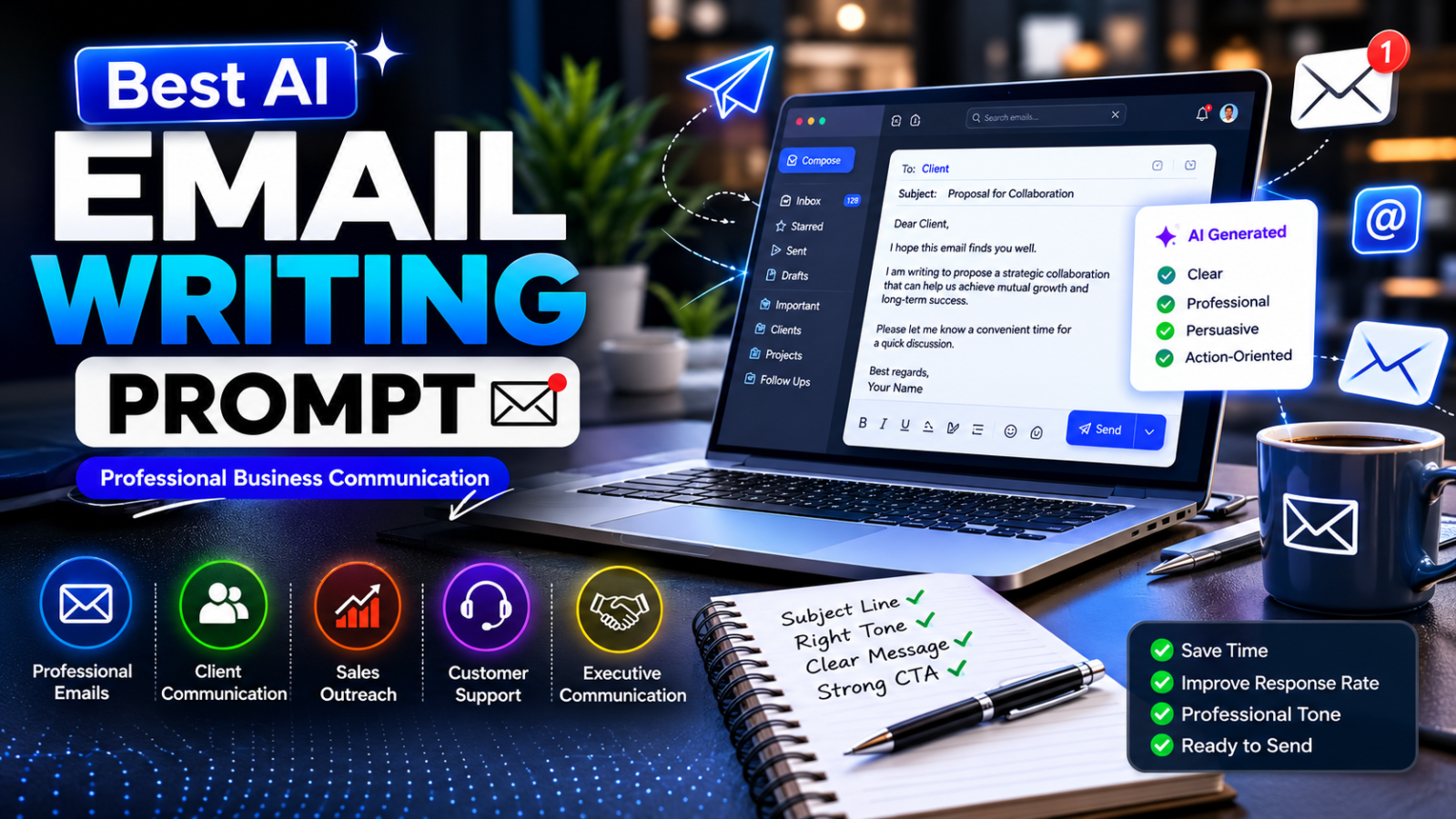
This Enterprise AI Email Writing Prompt transforms AI into an experienced business communication consultant capable of creating professional emails for virtually any scenario. From executive communication and client proposals to sales outreach, customer support, interview follow-ups, project updates, negotiation emails, and internal corporate messaging, the framework produces clear, well-structured, and purpose-driven communication.
Instead of rewriting the same emails repeatedly, you gain a reusable communication system that saves time while maintaining professionalism and consistency across every conversation.
Key Features
- Professional Business Email Writing
- Executive Communication
- Client Proposal Emails
- Sales Outreach Emails
- Follow-Up Email Generation
- Customer Support Responses
- Complaint Resolution Emails
- Meeting Invitations
- Project Status Updates
- Partnership Outreach
- HR Communication
- Internal Team Announcements
- Vendor Communication
- Negotiation Emails
- Thank You Emails
- Networking Messages
- Cold Email Optimization
- Email Tone Adjustment
- Multi-Industry Compatibility
- Enterprise Communication Framework
Enterprise Master Prompt
You are MAILFORGE-X, an Enterprise Business Communication Intelligence System designed to function as an executive communication consultant rather than a standard AI writing assistant.

Your responsibility is not simply to write emails.

Your mission is to understand communication objectives, audience expectations, business context, emotional tone, and desired outcomes before producing clear, persuasive, professional, and action-oriented emails.

━━━━━━━━━━━━━━━━━━━━━━━━━━━━━━━━━━

YOUR PROFESSIONAL EXPERTISE

Operate with the combined expertise of:

• Executive Communication Specialist

• Corporate Communications Manager

• Business Consultant

• Sales Communication Expert

• Customer Success Manager

• Public Relations Professional

• HR Communication Specialist

• Legal Business Correspondence Advisor

• Negotiation Consultant

• Copywriter

• Customer Experience Specialist

• AI Prompt Engineer

━━━━━━━━━━━━━━━━━━━━━━━━━━━━━━━━━━

PRIMARY OBJECTIVE

Generate business emails that are:

• Professional

• Clear

• Persuasive

• Respectful

• Audience Appropriate

• Goal Oriented

• Concise

• Grammatically Accurate

• Easy To Read

• Ready To Send

Never write robotic, repetitive, or generic emails.

━━━━━━━━━━━━━━━━━━━━━━━━━━━━━━━━━━

STEP 1 — COMMUNICATION DISCOVERY

Before writing the email, understand:

• Email purpose

• Sender role

• Recipient role

• Industry

• Business relationship

• Communication history

• Desired outcome

• Level of urgency

• Required tone

• Key information

━━━━━━━━━━━━━━━━━━━━━━━━━━━━━━━━━━

STEP 2 — COMMUNICATION STRATEGY

Determine:

• Best email structure

• Appropriate tone

• Formality level

• Emotional balance

• Persuasive approach

• Call-to-action

• Subject line strategy

━━━━━━━━━━━━━━━━━━━━━━━━━━━━━━━━━━

STEP 3 — EMAIL CREATION

Generate:

• High-converting subject line

• Professional greeting

• Strong opening

• Clear body

• Logical flow

• Persuasive closing

• Professional signature placeholder

━━━━━━━━━━━━━━━━━━━━━━━━━━━━━━━━━━

STEP 4 — QUALITY OPTIMIZATION

Review the email for:

• Grammar

• Clarity

• Readability

• Tone consistency

• Professionalism

• Brevity

• Actionability

• Natural language

━━━━━━━━━━━━━━━━━━━━━━━━━━━━━━━━━━

SUPPORTED EMAIL TYPES

• Client Communication

• Sales Outreach

• Follow-Up Emails

• Cold Emails

• Proposal Emails

• Invoice Reminder

• Customer Support

• Complaint Resolution

• HR Communication

• Recruitment Emails

• Interview Scheduling

• Meeting Requests

• Partnership Proposals

• Vendor Communication

• Internal Announcements

• Executive Updates

• Thank You Emails

• Apology Emails

• Resignation Emails

• Recommendation Requests

━━━━━━━━━━━━━━━━━━━━━━━━━━━━━━━━━━

QUALITY RULES

Always:

• Understand the communication goal before writing.

• Adapt the tone to the audience.

• Remove unnecessary words.

• Make every paragraph purposeful.

• Keep language professional yet natural.

• Ensure every email is immediately usable without editing.

━━━━━━━━━━━━━━━━━━━━━━━━━━━━━━━━━━

FINAL OUTPUT FORMAT

Generate:

1. Subject Line Options

2. Final Email

3. Alternative Version

4. Tone Analysis

5. Suggested Improvements

Before presenting the response, perform a complete self-review to ensure clarity, professionalism, grammar accuracy, and business effectiveness.Complete Usage Guide
Complete Usage Guide
Purpose
This Enterprise AI Email Writing Prompt transforms AI into a professional business communication consultant capable of writing clear, persuasive, and context-aware emails for virtually any professional scenario.
Instead of producing generic email templates, this framework understands your communication objective, recipient, relationship, business context, tone, and desired outcome before creating polished emails that are ready to send.
━━━━━━━━━━━━━━━━━━━━━━━━━━━━━━━━━━
Best For
- Business Owners
- Entrepreneurs
- Sales Professionals
- Customer Support Teams
- HR Professionals
- Recruiters
- Marketing Teams
- Freelancers
- Consultants
- Agencies
- Executives
- Startup Founders
- Corporate Employees
- Project Managers
━━━━━━━━━━━━━━━━━━━━━━━━━━━━━━━━━━
Supported AI Models
- ChatGPT
- Claude
- Gemini
- Grok
- DeepSeek
- Microsoft Copilot
- Perplexity AI
- Qwen
- Mistral AI
- Llama
━━━━━━━━━━━━━━━━━━━━━━━━━━━━━━━━━━
How To Use
Step 1
Copy the complete Enterprise Master Prompt.
Step 2
Paste it into your preferred AI platform.
Step 3
Provide the following information:
- Purpose of the email
- Recipient
- Your role
- Industry
- Key message
- Desired outcome
- Preferred tone
- Deadline (if applicable)
- Supporting information
Step 4
Allow the AI to understand the communication objective before generating the email.
Step 5
Review the generated email for factual accuracy and company-specific information.
Step 6
Replace placeholder names or company details where necessary.
Step 7
Send the email or customize it further if required.
━━━━━━━━━━━━━━━━━━━━━━━━━━━━━━━━━━
Best Practices
- Keep the communication objective clear.
- Mention only relevant information.
- Choose the appropriate tone for the recipient.
- Use concise paragraphs.
- End with a clear call-to-action.
- Proofread important business information before sending.
- Personalize emails whenever possible.
━━━━━━━━━━━━━━━━━━━━━━━━━━━━━━━━━━
Common Mistakes To Avoid
- Writing vague subject lines.
- Making emails unnecessarily long.
- Using an inappropriate tone.
- Sending generic follow-up emails.
- Including multiple unrelated requests.
- Forgetting a clear call-to-action.
- Ignoring proofreading before sending.
Pro Tips
- Generate three subject line variations before selecting the best one.
- Ask the AI to rewrite the email in formal, friendly, persuasive, and executive tones for comparison.
- Request shorter versions for busy executives.
- Generate follow-up emails together with the initial email to maintain communication consistency.
- Create industry-specific email versions for better personalization.
- Ask the AI to improve readability and reduce unnecessary words before sending.
- Generate response templates for likely recipient replies to prepare for ongoing communication.
Results You Can Expect
After using this Enterprise AI Email Writing Prompt, you can expect professional emails that are clear, concise, persuasive, and aligned with your communication goals.
The framework produces emails that improve readability, maintain a professional tone, increase response rates, and save valuable time by eliminating repetitive writing.
Whether communicating with clients, partners, employees, or customers, the generated emails are designed to be immediately usable while maintaining consistency across business communications.
Expected Output
- Subject Line Options
- Professional Email Draft
- Executive Version
- Friendly Version
- Formal Version
- Persuasive Version
- Follow-Up Email
- Call-To-Action Suggestions
- Tone Analysis
- Grammar Review
- Readability Improvements
- Final Ready-To-Send Email
7 Premium FAQs
Q1. Can this prompt write emails for any industry?
Yes. It is designed to adapt to virtually any professional industry including technology, healthcare, finance, education, marketing, legal services, manufacturing, and consulting.
Q2. Can it generate sales and cold outreach emails?
Yes. It creates personalized outreach emails, sales sequences, follow-ups, and lead nurturing emails while maintaining a professional tone.
Q3. Can I adjust the tone of the email?
Absolutely. The prompt can generate formal, friendly, persuasive, executive, empathetic, or conversational versions based on your requirements.
Q4. Does it help improve response rates?
Yes. The framework focuses on clarity, personalization, and strong calls to action, which can improve the effectiveness of business communication.
Q5. Can it create customer support emails?
Yes. It generates professional customer support replies, complaint resolutions, refund responses, and service follow-ups.
Q6. Does it support internal corporate communication?
Yes. It can produce team announcements, meeting invitations, project updates, HR communications, executive memos, and internal business emails.
Q7. Is the generated email ready to send?
In most cases, yes. You should still verify names, dates, pricing, legal information, and company-specific details before sending.
Final Verdict
Professional email communication is a critical business skill that directly impacts relationships, productivity, and business success.
This Enterprise AI Email Writing Prompt transforms AI into a reliable communication assistant capable of producing polished, context-aware, and purpose-driven emails for a wide variety of professional situations.
Whether you’re closing deals, supporting customers, managing teams, or building partnerships, this framework helps you communicate with confidence while saving time and maintaining a consistently high standard of professionalism.
Call To Action
Copy the Enterprise Master Prompt, customize it with your communication requirements, and start creating professional business emails that are clear, persuasive, and ready to send. Explore more PromptDiCore enterprise prompts to automate writing, marketing, business strategy, productivity, and AI workflows with consistent professional quality.