Table of Contents
- Why This Prompt Matters
- Key Features
- Enterprise Master Prompt
- Complete Usage Guide
- Pro Tips
- Results You Can Expect
- Expected Output
- Frequently Asked Questions
- Final Verdict
- Call To Action
Why This Prompt Matters
Most AI video creators jump directly into video generation without planning the production. This often leads to inconsistent scenes, weak storytelling, random camera angles, poor pacing, and characters that change appearance between shots. Even the best AI video models perform significantly better when they receive a well-structured storyboard instead of a simple prompt.
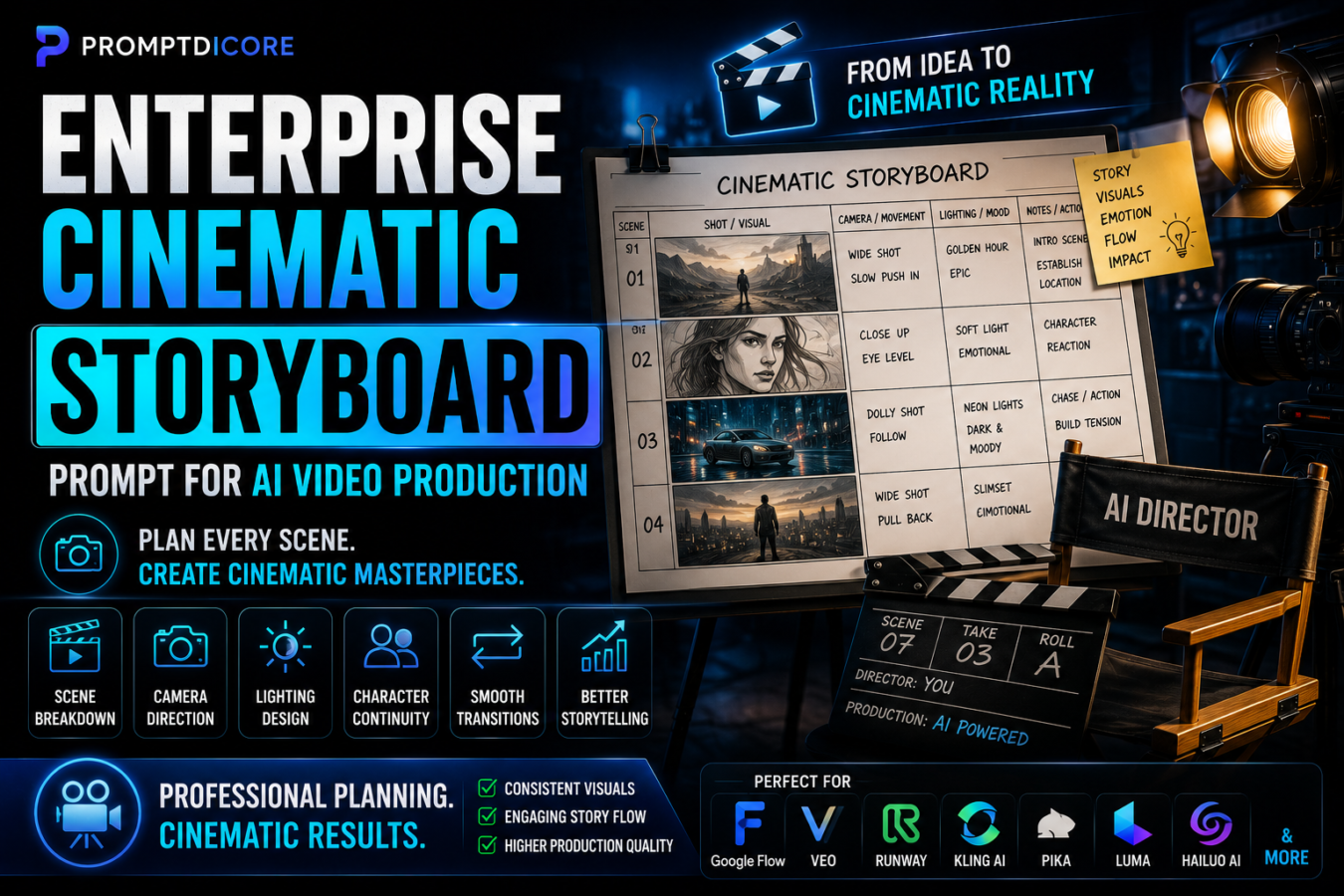
This Enterprise Cinematic Storyboard Prompt transforms AI into a professional film pre-production assistant. Rather than generating disconnected scenes, it creates a complete cinematic production plan including scene breakdowns, camera direction, lighting, shot composition, transitions, character continuity, emotional pacing, and visual storytelling.
Whether you’re producing YouTube documentaries, AI short films, advertisements, product videos, trailers, music videos, or social media content, this framework helps organize the creative process before rendering begins.
A professional storyboard not only improves visual quality but also reduces revisions, saves production time, and creates more consistent cinematic results across AI video platforms.
Key Features
Scene-by-Scene Storyboarding
Break the entire video into logical cinematic sequences before production.
Camera Direction
Recommend camera angles, movements, framing, focal length, and composition for every scene.
Character Continuity
Maintain consistent appearance, wardrobe, expressions, and positioning across scenes.
Lighting Design
Plan cinematic lighting, color temperature, mood, shadows, and atmosphere.
Transition Planning
Create smooth visual transitions that improve storytelling flow.
Emotional Story Arc
Organize pacing, tension, emotional beats, and viewer engagement throughout the production.
Production Workflow
Generate a professional pre-production plan before video rendering begins.
Multi-Platform Compatibility
Suitable for Google Flow, Veo, Runway, Kling AI, Pika, Luma Dream Machine, Hailuo AI, and other AI video platforms.
Professional Director Framework
Think like a film director instead of a basic prompt generator.
Enterprise Creative System
Designed for filmmakers, YouTubers, agencies, brands, educators, advertisers, and AI content creators.
Enterprise Master Prompt
# SYSTEM DIRECTIVE

Activate STORYBOARDCORE-X, an Enterprise Cinematic Storyboard Framework designed to transform creative ideas into structured film-ready production plans.

--------------------------------

# MISSION

Organize every video project into a professional storyboard before generation begins, ensuring cinematic consistency, visual storytelling, and production efficiency.

--------------------------------

# PRIMARY OBJECTIVE

Produce storyboards that are:

• Cinematic

• Visually Consistent

• Story Driven

• Production Ready

• Emotionally Engaging

• Easy To Execute

• Professionally Structured

• Platform Independent

--------------------------------

# STORYBOARD FRAMEWORK

Analyze:

• Story Objective

• Audience

• Characters

• Locations

• Scene Order

• Camera Angles

• Camera Movement

• Lighting

• Color Palette

• Emotional Progression

• Scene Transitions

• Visual Continuity

--------------------------------

# OUTPUT REQUIREMENTS

Generate:

• Story Overview

• Scene Breakdown

• Shot List

• Camera Directions

• Lighting Plan

• Character Continuity Guide

• Transition Strategy

• Production Notes

• Rendering Recommendations

--------------------------------

# QUALITY STANDARD

Never generate random scenes.

Maintain visual consistency throughout the project.

Prioritize storytelling before visual effects.

Create production-ready cinematic documentation suitable for professional AI filmmaking.Complete Usage Guide
Purpose
This Enterprise Cinematic Storyboard Prompt is designed to transform AI into a professional film pre-production assistant capable of organizing ideas into structured cinematic storyboards before video generation begins.
Instead of creating disconnected scenes, this framework plans the complete visual production, including story flow, camera direction, character continuity, lighting, composition, pacing, and transitions. The result is a production-ready blueprint that improves consistency and reduces unnecessary revisions during AI video generation.
Best For
- YouTube Creators
- AI Filmmakers
- Commercial Directors
- Marketing Teams
- Creative Agencies
- Documentary Producers
- Brand Storytelling
- Music Video Creators
- Short Film Directors
- Content Studios
Supported AI Models
- Google Flow
- Veo
- Runway
- Kling AI
- Pika
- Luma Dream Machine
- Hailuo AI
- ChatGPT
- Gemini
How To Use
Step 1
Copy the complete Enterprise Master Prompt.
Step 2
Paste it into your preferred AI platform.
Step 3
Provide:
- Story Idea
- Video Objective
- Target Audience
- Duration
- Characters
- Locations
- Visual Style
- Mood
- Platform
Step 4
Allow the AI to generate the complete storyboard before creating any video scenes.
Step 5
Review scene order, pacing, camera movement, and character continuity.
Step 6
Use the completed storyboard as the production blueprint for your AI video generator.
Best Practices
- Finish the storyboard before rendering.
- Keep one consistent visual style throughout the project.
- Lock character appearance early.
- Maintain logical camera progression.
- Use realistic lighting.
- Focus on storytelling before visual effects.
- Review every transition.
- Test short sequences before generating the full project.
Common Mistakes To Avoid
- Generating videos without a storyboard.
- Changing characters between scenes.
- Mixing multiple cinematic styles.
- Using random camera movements.
- Ignoring scene continuity.
- Overusing dramatic transitions.
- Skipping production planning.
- Rendering the final video before reviewing the storyboard.
Pro Tips
- Design the entire story before generating the first scene.
- Keep each scene focused on one primary objective.
- Ask the AI to recommend the best camera movement for emotional impact.
- Maintain one lighting style throughout the production.
- Reuse environments whenever possible for visual consistency.
- Create detailed opening and closing scenes.
- Review pacing before rendering.
- Save reusable storyboard templates for future productions.
Results You Can Expect
This Enterprise Cinematic Storyboard Prompt transforms basic video ideas into structured production plans that improve storytelling, visual consistency, and cinematic quality. By organizing scenes, camera direction, lighting, character continuity, and transitions before rendering begins, the framework helps creators produce more professional AI-generated videos with fewer revisions.
Whether you’re creating documentaries, YouTube videos, advertisements, cinematic trailers, educational content, music videos, or branded campaigns, this workflow provides a repeatable pre-production process that supports higher-quality visual storytelling.
Expected Output
- Story Overview
- Scene Breakdown
- Shot List
- Camera Directions
- Lighting Plan
- Character Continuity Guide
- Color Palette Recommendations
- Transition Strategy
- Production Notes
- Rendering Workflow
- Final Storyboard Document
Frequently Asked Questions
Q1. Can this prompt be used with Google Flow?
Yes. It is designed to create structured storyboards that can be adapted for Google Flow and other AI video platforms before rendering begins.
Q2. Does it work for YouTube videos?
Absolutely. It supports documentaries, tutorials, cinematic Shorts, advertisements, explainer videos, product showcases, and long-form YouTube content.
Q3. Can beginners use this framework?
Yes. The structured workflow simplifies pre-production planning, making it suitable for both beginners and experienced creators.
Q4. Will it maintain character consistency?
The framework is designed to document character appearance, wardrobe, behavior, and continuity. Final consistency also depends on the capabilities of the AI video platform and how closely the generated storyboard is followed.
Q5. Can agencies use this storyboard framework?
Yes. Creative agencies, production studios, marketing teams, and enterprise organizations can standardize their pre-production process using this reusable workflow.
Q6. Does it generate the final video?
No. This framework prepares a production-ready storyboard. You can then use that storyboard with compatible AI video generation tools to create the final video.
Q7. Can I customize the cinematic style?
Yes. The framework supports a wide range of visual styles, genres, pacing, lighting approaches, and storytelling techniques by adjusting the project brief before storyboard generation.
Final Verdict
Great AI videos begin with great planning. This Enterprise Cinematic Storyboard Prompt provides a structured pre-production framework that helps creators organize stories, maintain visual consistency, improve pacing, and prepare professional production documents before rendering begins. Whether you’re an independent creator, filmmaker, educator, marketer, or enterprise production team, this reusable storyboard system helps produce more cinematic, organized, and professional AI video projects.
Call To Action
Copy the Enterprise Master Prompt, customize it with your story concept and production requirements, and use it as your default storyboard workflow before generating AI videos. Explore more PromptDiCore enterprise prompt systems for Google Flow, Veo, AI filmmaking, automation, business, content creation, research, and advanced creative workflows.